29 May 2026 · Smart Home · AI-assisted · published by Jaco Olwagen · How we rank
Best Smart Home Starter Kit Australia 2026 - 7 Picks to Get Going Without the Faff
Best smart home starter kit Australia 2026. Seven Amazon AU picks - hubs, plugs, bulbs and sensors - to build a first smart home without the headaches.
Best Smart Home Starter Kit Australia 2026
The honest truth about a first smart home build in Australia is that the hardware isn't the hard bit. The hard bit is picking ecosystems that won't strand you in twelve months when the next phone change or hub firmware update breaks half the gear. So this guide picks for two things at once: products that are good in their own right, and products that play nicely with Matter, the standard that's slowly making the whole category less of a lottery. The shortlist below covers the four building blocks of a starter setup - a voice assistant for control, a hub for the gear that needs one, a smart plug or two for the dumb appliances you already own, and a couple of bulbs and a sensor to get the automation magic working. You'll find the full lineup on our speakers category page, and our 2026 best smart speaker guide goes deeper on the voice-assistant side if that's where you want to start.
The seven picks below are all on Amazon AU right now, all under A$250 each, and most well under A$100. Prices are typical Amazon AU sticker prices in late May 2026 and they bounce around with the EOFY discount cycle through June. Every product link on this page is an Amazon AU affiliate link tagged top7-22, which means we earn a small commission if you buy. No extra cost to you. We pick on merit, not on margin.
Quick Picks - Best Smart Home Starter Kit Australia 2026
| Product | Best For | Price (AUD) |
|---|---|---|
| Echo Dot (5th Gen) | Best Alexa entry speaker | ~A$79 |
| Aqara Hub M3 | Best universal Matter hub | ~A$179 |
| TP-Link Tapo P110M | Best smart plug for energy monitoring | ~A$29 |
| Philips Hue White & Colour Starter Kit (E27) | Best premium lighting kit | ~A$249 |
What to Look for in a Smart Home Starter Kit
Before the picks, a quick sanity check on what actually matters when you're buying the first few pieces.
One. Pick the voice assistant first, not last. Alexa, Google Assistant, or Apple HomeKit will sit in the middle of your setup for years. Switching later means re-pairing every device. If your phone is an iPhone and you live in Apple's world, HomeKit (now Apple Home) is the natural choice. If you live in Google Workspace, Google Assistant. Everyone else, Alexa - the cheapest gear, the broadest device support, and the most third-party skills.
Two. Buy Matter where you can. Matter is the standard the whole industry has lined up behind to make a TP-Link bulb work with an Apple Home setup, an Aqara sensor work with Google, and so on. New gear with the Matter logo on the box will pair with your voice assistant of choice. Older gear, even from the same brand, often won't.
Three. A dedicated hub matters once you've got more than about ten devices, or any sensor that runs on Thread or Zigbee. The Aqara Hub M3 below is the universal pick that bridges most of the gaps. If you're only ever going to have three or four Wi-Fi plugs and bulbs, you can skip the hub entirely - the voice assistant is enough.
Four. Don't buy everything at once. Start with a speaker plus two or three plugs and one or two bulbs. Live with it for a fortnight. Then decide if you want sensors and automations on top.
Echo Dot (5th Gen) - Best Alexa Entry Speaker
 Echo Dot (5th Gen)Check Price
 Around A$79 on Amazon AU for the Charcoal. The Echo Dot 5th Gen is the device most Australian buyers default to for a reason. It's cheap, it has the broadest smart home device support of any voice assistant, and the audio is genuinely fine for spoken-word prompts and the morning news. There's a built-in temperature sensor that's surprisingly handy for automation routines (turn the heater on when the bedroom drops below 18 degrees, say), and the tap-to-snooze top surface is one of those small touches you don't appreciate until you've lived with it.
For a first smart home build, the Dot is what sits in the kitchen or on the desk to actually talk to the gear you're about to add. Setup is the standard Alexa drill - app, Wi-Fi, give each room a name, done in fifteen minutes. The Dot also acts as a basic hub for the cheapest Matter-over-Wi-Fi devices, which means a couple of Tapo plugs will pair through the Echo without needing a dedicated hub on day one.
The good: Cheapest defensible entry into a smart home setup, the widest third-party skill ecosystem in voice assistants, the temperature sensor is genuinely useful for routines, the top surface tap-to-snooze is a quiet design win.
The trade-off: Alexa has felt less smart since the Alexa Plus rollout - basic questions sometimes route through the upsell. No display means you can't see what it's pulled up. The fabric grille is a magnet for kitchen lint.
Google Nest Hub (2nd Gen) - Best for Google Households
 Google Nest Hub (2nd Gen)Check Price
 Around A$149 on Amazon AU for the Chalk. If your phone is a Pixel or a Samsung running on a Google account, and your calendar lives in Google Calendar, the Nest Hub is the natural starter speaker. The 7 inch display surfaces your day in a way that a speaker without a screen can't - upcoming meetings, the weather radar over Brisbane while you're getting dressed, photos rotating from your Google Photos library when nothing else is happening on screen.
It's also a competent smart home controller. Tap the screen for a quick view of every connected light and plug, set up morning routines that read your calendar aloud while the kettle boils, and use the speaker for hands-free Google Meet calls from the kitchen if you're working from home. No camera on this model, which some people prefer and some don't - it depends on whether you want occasional video calls from the kitchen bench.
The good: Best calendar and Google Workspace integration in a smart display, 7 inch screen is the right size for a kitchen counter or bedside table, no camera means no privacy worry, the audio is genuinely the best in this price band.
The trade-off: Google has been slow to push new features to the Nest Hub line through 2026 - it feels mature in a way that's both reassuring and slightly sleepy. No camera means no video calls if that's part of your plan. The fabric base attracts dust.
Aqara Hub M3 - Best Universal Matter Hub
 Aqara Hub M3Check Price
 Around A$179 on Amazon AU. This is the one piece of kit that future-proofs a smart home build more than any other. The Hub M3 is a Matter controller, a Thread border router, and a Zigbee gateway in one box, which is jargon for: it lets your existing voice assistant talk to every category of smart home device a normal Aussie house will ever own. Pair Zigbee sensors, Thread-based motion detectors, Matter-over-Wi-Fi plugs, and the M3 sits in the middle and translates.
It also has a built-in infrared blaster that turns dumb air conditioner and TV remotes into Matter-controlled devices, which is dead handy in a typical Australian rental where you can't rewire anything but you can absolutely point a hub at the split system on the wall. Power over Ethernet is supported if you'd rather hardwire it. Local automations run on the hub itself, so basic routines keep working if the internet drops out - genuinely useful if you're on the regional NBN and the link flakes during a storm.
The good: The most versatile single hub for a starter setup, the IR blaster genuinely brings dumb air-cons and TVs into the smart home fold, local automations work without internet, PoE means clean wiring if you've got an Ethernet drop nearby.
The trade-off: A$179 is real money to spend on a hub before you've bought a single bulb, the Aqara app's UI takes a session to wrap your head around if you're coming from Apple Home or Google Home, the 95 decibel built-in speaker is loud enough to be a feature but you have to remember to set it up.
TP-Link Tapo P110M - Best Smart Plug for Energy Monitoring
 TP-Link Tapo P110MCheck Price
 Around A$29 on Amazon AU. The Tapo P110M is the cheapest smart plug worth buying in 2026, and it's the one that goes into the wall first for most starter builds. Matter certified, energy monitoring built in (so you can see what the old fridge in the garage is costing you in standby), works with Alexa, Google, and Apple Home out of the box, and the compact body doesn't block the second socket in an Australian double GPO.
The energy monitoring is the underrated feature here. Plug it into the rumpus room heater, leave it for a fortnight, and the Tapo app will tell you what that thing is actually doing to the power bill. Some Aussie users figure out very quickly which dumb appliance is the one to schedule, replace, or unplug entirely - and the plug pays for itself in the first quarter. The Schedule and Away modes let you fake occupancy when you're away over the long weekend.
The good: Compact enough not to block the adjacent socket, Matter certified so it works with whatever voice assistant you pick, energy monitoring is the feature that actually changes behaviour, ridiculously cheap for the spec.
The trade-off: Wi-Fi 2.4 GHz only, which is fine but worth knowing if your router is dual band and you've separated the SSIDs. The Tapo app wants you to make an account before it'll set the plug up, which feels like a small indignity. The plug body is plastic and looks it.
Philips Hue White & Colour Ambiance Starter Kit (E27) - Best Premium Lighting Kit
 Philips Hue White & Colour Ambiance Starter Kit (E27)Check Price
 Around A$249 on Amazon AU. The Hue E27 starter kit gets you three colour-changing smart bulbs plus the Hue Bridge in one box, and the bridge is the bit that matters - it's the foundation of a Hue lighting build that scales to fifty bulbs across the house if you let it run. The bulbs themselves do sixteen million colours, deep warm white through to daylight cool, and the dimming is smoother than any of the cheap competitors. Hue is the lighting brand serious smart home people buy because it doesn't flicker, doesn't drop off the network, and doesn't change colour subtly when the firmware updates.
The starter kit pairs with Alexa, Google, and Apple Home through the bridge without needing the cloud, so the lights respond fast - flick the voice command, the room changes inside half a second, not the three seconds the Wi-Fi-only competitors sometimes need. The Hue app's scenes (one tap for warm dinner-party light, one tap for bright cleaning light, one tap for the kids' movie-night setup) are the killer feature most people don't realise they want until they have them.
The good: Best-in-class colour accuracy and dimming smoothness, the bridge is what makes the system feel snappy rather than laggy, scenes are the feature you'll use every day, the build quality on the bulbs is noticeably better than the cheap end.
The trade-off: Expensive for three bulbs - around A$249 versus A$30 for a Tapo equivalent, the bridge is another box to find a power point and an Ethernet port for, the E27 fitting is the screw type so check your light fittings before you order (the B22 bayonet kit is at B0881QCHFR if you need it).
Tapo L535E - Best Cheap Matter Smart Bulb
 Tapo L535ECheck Price
 Around A$25 on Amazon AU for a single bulb. The Tapo L535E is the budget answer to the Philips Hue bulb. Matter certified, sixteen million colours, dimmable, 8.6 watt drawing the equivalent light of a 75 watt incandescent, schedule and away modes through the Tapo app, and voice control via Alexa and Google straight from the box. No hub needed for basic use, though pairing through the Aqara M3 above gives you the same fast local response Hue gets from its bridge.
The L535E is the bulb you buy in twos and threes to put into the lamps that don't need to be perfect - bedside lamps, the lamp in the spare room, the porch light, the floor lamp in the rumpus. For a starter kit, mixing a couple of L535Es with one Hue E27 in the main living-room lamp gets you most of the benefit at a fraction of the spend. Energy monitoring is built in, which is novel for a bulb at this price.
The good: A tenth of the price of a Hue bulb, Matter certified so it pairs with whatever voice assistant you've picked, energy monitoring at this price is a genuine surprise, the colour range is solid for a budget bulb.
The trade-off: Colour accuracy and dimming smoothness are a step behind Hue if you sit them side by side, response time over Wi-Fi alone is a touch slower than Hue through the bridge, the Tapo app wants an account.
Aqara Motion and Light Sensor P2 - Best Sensor for Automations
Around A$59 on Amazon AU. The P2 is the sensor that takes a smart home build from a remote-controlled house to an actually-automated one. It's a PIR motion detector with a built-in lux meter (so it reads the ambient light level too) and it runs on Thread with native Matter support, which means it pairs with Apple Home, Google, and Alexa through the Aqara M3 hub or any Thread border router you've already got.
The automations this unlocks are the ones that feel like the smart home is actually thinking. Hallway light comes on at five per cent when you walk through it at three in the morning, but stays off if the ambient light is already above a threshold (so it doesn't trigger during daylight). The bedside lamp warms up to a wake-up colour if motion is detected after 6.30am but stays cold and off before then. The 120 degree detection angle covers a typical Australian hallway or kid's room from one corner. The battery is rated to last around two years on a CR2450 coin cell.
The good: The lux meter is the underrated feature that lets you build automations that actually work in daylight too, Thread is the protocol that gives the snappiest response of any sensor type, two-year battery life means it's basically install-and-forget, the price is right for what it does.
The trade-off: You need a Thread border router or the Aqara hub for this to do its best work - paired over Bluetooth to Apple Home directly it loses the local-automation snap. The mounting magnet base is fine but not as confidence-inspiring as a screw mount for a permanent ceiling install.
How to Pick the Right Starter Setup
The decision tree for an Australian buyer in May 2026, roughly.
If you're on iPhone and live in Apple's world, the starting trio is one Aqara Hub M3, two TP-Link Tapo P110M plugs, and a couple of Tapo L535E bulbs. Apple Home handles the voice control through your iPhone and HomePod if you've got one, the M3 handles the bridging, total spend around A$270.
If you're on Google Workspace and your phone runs Android, swap the voice front-end for a Google Nest Hub (2nd Gen) instead of relying on the phone. Same plugs, same bulbs. Total spend around A$420 because the Nest Hub is the screen you didn't have already.
If you want the cheapest possible entry into Alexa land - one room only, voice plus a couple of plugs - the bare bones is an Echo Dot (5th Gen) plus two Tapo P110M plugs for around A$137 total. Add a hub later only if you start collecting Thread or Zigbee gear.
For lighting specifically, the question is whether you want the premium feel or the budget spread. The Philips Hue starter kit at A$249 gets you three bulbs and the bridge that scales to fifty. The same A$249 spent on Tapo L535E bulbs gets you about ten bulbs. Mix the two: one Hue in the main living-room lamp where you'll notice the smoothness, Tapo everywhere else.
Our Pick
For a typical Australian buyer with no smart home gear yet, the build we'd actually recommend is one Echo Dot (5th Gen) on the kitchen bench, one Aqara Hub M3 tucked next to the router, two Tapo P110M plugs for the heater and the lamp you keep forgetting to turn off, three Tapo L535E bulbs for bedside and floor lamps, and one Aqara P2 Motion Sensor for the hallway. Total spend around A$390. That's a setup that handles voice control, schedules, and one genuinely satisfying automation on day one, with room to add a Hue bulb or a second sensor later when you've worked out which rooms you'd actually use it in.
Avoid the temptation to buy ten bulbs and five plugs on day one. The mistake every first-time smart home buyer makes is over-buying before they know which rooms they'll bother automating. The bedroom and the kitchen are the rooms most Aussies use the gear in. The spare bedroom and the laundry are the rooms the gear ends up dusty in.
More Smart Home Reading
For the rest of the smart home category, our best smart speaker Australia 2026 guide goes deeper on the speaker shortlist, the best home security camera 2026 covers the camera side, and the best video doorbell 2026 rounds out the outside-the-house gear. For the network underpinning all of this, the best Wi-Fi router for NBN 2026 covers what to put on the modem side so your smart home doesn't drop out when the household streams 4K. For broader category browsing, our speakers category, security cameras category, and storage category pages have the full 2026 catalogue.
Top Picks - Check Latest Prices


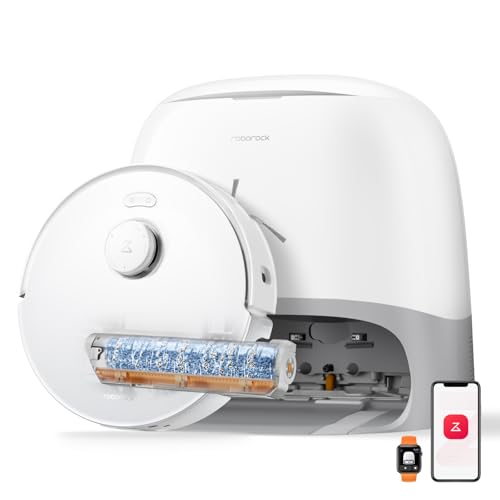
See Our Top 7 RoboVacs for Australia
Hand-picked and ranked by our editors — with honest pros, cons, and Aussie pricing.
More Smart Home Reading
Best Smart Speaker Australia 2026: Amazon Echo vs Google Nest
The best smart speakers in Australia for 2026 - Amazon Echo vs Google Nest compared with AUD prices, Alexa vs Google Assistant tips for Aussies.
Best Home Security Cameras Australia 2026: No-Subscription Options Ranked
Best home security cameras Australia 2026 - five top picks including subscription-free Eufy and Tapo options, with real AUD pricing on Amazon AU.
Best Robot Vacuums Under $500 Australia 2026: Ranked by Budget, Floor Type & Pet Hair
The best robot vacuums under $500 in Australia for 2026 - AUD prices, Amazon AU availability, and picks for every floor type and budget tier.