Best Monitors in Australia (2026)

As an Amazon Associate, top7.au earns from qualifying purchases. Product prices and availability are accurate as of the date/time indicated and are subject to change. Any price and availability information displayed on amazon.com.au at the time of purchase will apply.
Rankings re-checked weekly · Last re-checked 8 November 2026
Prices updated dailyAI-assisted, run by Jaco Olwagen

The 30-second match

Not sure which of the seven is yours?

3 quick taps — we'll match you to a pick using the same scores we rank with.

The picks, in order

7 picks

Number one at the top, number 7 at the bottom. The tier label on each card says which price bracket it sits in.

Our #1 Pick
Alienware AW2725Q 27 inch 4K QD-OLED 240Hz gaming monitor on its height-adjustable stand

Alienware

Alienware 27 4K QD-OLED 240Hz Gaming Monitor (AW2725Q)

4K 240HzQD-OLED0.03ms
Premium
Rank #1

Alienware 27 4K QD-OLED 240Hz Gaming Monitor (AW2725Q)

Our Verdict

A 27-inch 4K QD-OLED at 240Hz with per-pixel blacks, sold and shipped by Amazon AU, and the sharpest OLED text of its size.

Why it's number one: The only OLED in the line-up: a 27-inch 4K QD-OLED at 240 Hz with per-pixel blacks and a 99% DCI-P3 gamut leads on Picture and Colour, its stand and adaptive-sync support match the best Features here, T3 gave it five stars, and owners rate it 4.4 stars from more than 1,300 Amazon reviews.

8.8ExcellentTop7 Score
A$1,199
Verified today
★ 4.4(1,398 reviews)
✓ Ships from Australia✓ Free delivery with Prime
Check Price on Amazonon Amazon.com.au

The AW2725Q puts a 4K QD-OLED panel into a 27-inch frame, which is the size where 4K resolution gives OLED its cleanest text: pixel density is high enough that the colour fringing older QD-OLED screens showed around letters is much harder to spot. Blacks are per-pixel and properly black, colour comes from the quantum-dot layer with a 99% DCI-P3 gamut, and the 240Hz refresh with a 0.03ms grey-to-grey response keeps fast games clean with no smearing. It works with G-Sync and FreeSync Premium Pro, and supports Dolby Vision as well as HDR True Black 400. The stand adjusts for height, tilt, swivel and pivot, so it sits right without an aftermarket arm. There is no USB-C input and no built-in speakers, so laptop users need a cable and a separate audio setup. Owners rate it 4.4 stars from more than 1,300 Amazon reviews, T3 gave it five stars, and it is sold and shipped by Amazon AU with a buy box at every postcode we check.

Picture
9.6
Colour
9.3
Features
8.9
Owners
7.8

Owners is the 4.4★ Amazon AU rating from 1,398 reviews, weighted toward the category average when there are few. Fewer than two published reviews of this exact model, so the owner rating carries that weight too. Tick marks show the category average.

How we scored it

Each measure is marked against the category's rubric, where 10 is the best you can buy, 8 is strong, 6 is basic but sound and 4 falls short. The bars show that mark on the Top7 scale (a 6 reads as 7.0, an 8 as 8.5); the notes quote the rubric mark.

  • Picture 9.6 (rubric 9.5): 27-inch 4K QD-OLED at 240 Hz with per-pixel blacks and HDR True Black 400; T3 rates it five stars, but only HDR 400 brightness, so not a 10.
  • Colour 9.3 (rubric 9): Quantum-dot OLED with a 99% DCI-P3 gamut per Dell's specification; no allowlisted reviewer measurement of accuracy, so not a 10.
  • Features 8.9 (rubric 8.5): 240 Hz with G-Sync compatibility and FreeSync Premium Pro, height, tilt, swivel and pivot stand and a USB hub; no USB-C input or KVM.

Critic scores: T3 5/5

Pros

  • + 27-inch 4K QD-OLED at 240Hz with a 0.03ms response
  • + Per-pixel blacks and a 99% DCI-P3 colour gamut
  • + G-Sync compatible, FreeSync Premium Pro, Dolby Vision and HDR True Black 400
  • + Height, tilt, swivel and pivot stand in the box
  • + Sold and shipped by Amazon AU

Cons

  • − No USB-C input or power delivery for laptops
  • − No built-in speakers
  • − OLED burn-in care still applies to static desktop work
4K 240HzQD-OLED0.03msDolby VisionHDR True Black 400G-Sync Compatible
Ships from AU warehouseAustralian Consumer Law may apply
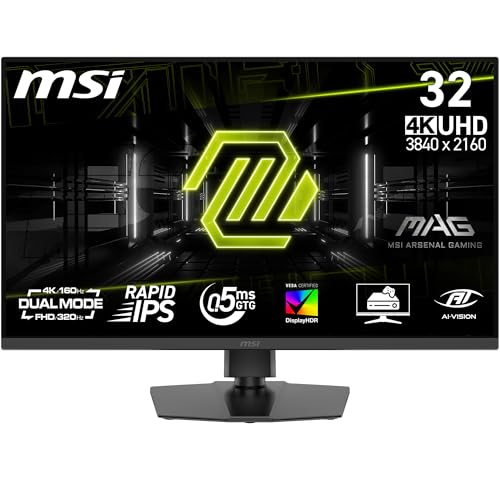
MSI MAG 322URDF E16 32-inch flat gaming monitor on a height-adjustable stand

MSI

MSI MAG 322URDF E16 32" 4K 160Hz Gaming Monitor

4K160Hz32-inch
ValueOn Sale
Rank #2

MSI MAG 322URDF E16 32" 4K 160Hz Gaming Monitor

Our Verdict

The big-screen gaming pick - a flat 32-inch 4K IPS panel at 160Hz that can drop to 1080p at 320Hz for fast shooters, sold and shipped by Amazon AU.

8.1ExcellentTop7 ScoreNew — few reviews yet
A$647
Verified today
✓ Ships from Australia✓ Free delivery with Prime
Check Price on Amazonon Amazon.com.au

MSI's MAG 322URDF E16 takes over as the list's 32-inch option, and it does the job the Odyssey G7 used to do at a similar price. The flat Rapid IPS panel runs 4K at 160Hz with a 0.5ms response time, so it is sharp enough for spreadsheets and smooth enough for single-player games, and a dual mode switches it to 1080p at 320Hz when you want every frame in a competitive shooter. MSI quotes 131% sRGB coverage and DisplayHDR 400, which means rich colour but HDR that is a mild boost rather than the punch of the OLED above it. Two HDMI 2.1 ports handle a PS5 or Xbox at 4K 120Hz alongside a PC on DisplayPort 1.4a, and the stand adjusts for height, tilt, swivel and pivot. There is no USB-C and no smart TV platform, and it is new enough that no owner reviews or allowlisted critic reviews exist yet, so treat this as a spec-led pick. It is sold and shipped by Amazon AU.

Picture
8.1
Colour
7.8
Features
8.9
Owners
7.6

This listing has no Amazon AU ratings yet, so Owners falls back to the category average. Fewer than two published reviews of this exact model, so the owner rating carries that weight too. Tick marks show the category average.

How we scored it

Each measure is marked against the category's rubric, where 10 is the best you can buy, 8 is strong, 6 is basic but sound and 4 falls short. The bars show that mark on the Top7 scale (a 6 reads as 7.0, an 8 as 8.5); the notes quote the rubric mark.

  • Picture 8.1 (rubric 7.5): 32-inch flat 4K Rapid IPS at 160 Hz with 0.5 ms and DisplayHDR 400 per the listing; 1000:1 native contrast and no local dimming, so short of the HDR 600 in the 8 anchor. No allowlisted review.
  • Colour 7.8 (rubric 7): Provisional: MSI quotes 131% sRGB and 1.07 billion colours but no DCI-P3 or calibration figure, and no review on the allowlist has measured it.
  • Features 8.9 (rubric 8.5): 160 Hz 4K or 320 Hz 1080p with adaptive sync, two HDMI 2.1 and DisplayPort 1.4a, and a height, tilt, swivel and pivot stand per the datasheet. No USB-C or KVM.

Pros

  • + 32-inch flat 4K IPS at 160Hz with a 1080p 320Hz dual mode
  • + Two HDMI 2.1 ports for consoles plus DisplayPort 1.4a
  • + Height, tilt, swivel and pivot adjustable stand
  • + Sold and shipped by Amazon AU

Cons

  • − DisplayHDR 400 is a mild HDR boost, not OLED-class contrast
  • − No USB-C or KVM
  • − No owner or critic reviews yet
4K160Hz32-inchDual Mode 320HzIPSHDMI 2.1
Ships from AU warehouseAustralian Consumer Law may apply
LG 27UP850K-W 27 inch 4K USB-C monitor on a desk connected to a laptop by a single cable

LG

LG 27UP850K-W 27" 4K USB-C Monitor

4K UHDUSB-C 90WDCI-P3 95%
ValueOn Sale
Rank #3

LG 27UP850K-W 27" 4K USB-C Monitor

Our Verdict

The best-value 4K desk monitor for laptop work right now - one USB-C cable carries the picture and 90W of charging, and it undercuts the colour-accurate competition by a couple of hundred dollars.

8.0ExcellentTop7 ScoreNew — few reviews yet
A$445
Verified today
✓ Ships from Australia✓ Free delivery with Prime
Check Price on Amazonon Amazon.com.au

The 27UP850K-W is the monitor to buy when you want a single-cable 4K desk and you are not willing to pay four figures for it. One USB Type-C connection drives the 27-inch 4K (3840 x 2160) IPS panel and pushes 90W of Power Delivery back to the laptop, which is enough to keep a 14 or 16-inch machine charging under load rather than slowly draining the way a 65W display leaves it. Colour is the other reason it earns the slot: 95% DCI-P3 coverage and VESA DisplayHDR 400 certification mean photo and video work looks the way it should, and it is a genuinely wider gamut than the sRGB-class productivity panels that used to sit at this price. There is HDMI, DisplayPort and a USB hub for a desktop or console alongside the USB-C input, plus AMD FreeSync for casual gaming, and the stand does height, tilt and pivot. This is a 60Hz panel, so competitive gamers want the AOC Agon or the Samsung Odyssey elsewhere on this list. For code, spreadsheets, photo and design work on a laptop-first desk, nothing this cheap is this well specified.

Picture
8.1
Colour
8.9
Features
8.1
Owners
7.4

Owners is the 4.1★ Amazon AU rating from 17 reviews, weighted toward the category average when there are few. Fewer than two published reviews of this exact model, so the owner rating carries that weight too. Tick marks show the category average.

How we scored it

Each measure is marked against the category's rubric, where 10 is the best you can buy, 8 is strong, 6 is basic but sound and 4 falls short. The bars show that mark on the Top7 scale (a 6 reads as 7.0, an 8 as 8.5); the notes quote the rubric mark.

  • Picture 8.1 (rubric 7.5): 27-inch 4K IPS with VESA DisplayHDR 400 on the card, whose own cons call the HDR entry level with no local dimming. 60 Hz panel and no allowlisted review of the K model.
  • Colour 8.9 (rubric 8.5): 95% DCI-P3 coverage per the card, pitched at photo and design work. No reviewer-measured accuracy or factory calibration report exists for the K model.
  • Features 8.1 (rubric 7.5): USB-C with 90 W power delivery, HDMI, DisplayPort, a USB hub, FreeSync and a height, tilt and pivot stand on the card, but a 60 Hz panel and no KVM.

Pros

  • + Single USB-C cable for 4K picture plus 90W laptop charging
  • + 95% DCI-P3 wide gamut and VESA DisplayHDR 400 certification
  • + Sharply cheaper than the colour-accurate 27-inch 4K panels it replaces
  • + HDMI, DisplayPort and USB hub alongside USB-C, with FreeSync for casual gaming
  • + Height, tilt and pivot adjustable stand

Cons

  • − 60Hz panel - not a gaming monitor
  • − DisplayHDR 400 is entry-level HDR, with no local dimming
  • − Still a young listing on Amazon AU, so there are few local reviews to lean on
4K UHDUSB-C 90WDCI-P3 95%IPSDisplayHDR 400FreeSync
Ships from AU warehouseAustralian Consumer Law may apply
Philips 27B2U4601 27 inch QHD USB-C business monitor on a height-adjustable stand

Philips

Philips 27" QHD USB-C Monitor (27B2U4601)

QHD 120Hz96W USB-CHeight Adjustable
Value
Rank #4

Philips 27" QHD USB-C Monitor (27B2U4601)

Our Verdict

The one-cable desk monitor for a laptop - QHD at 120Hz, USB-C that charges at up to 96W, and a stand that adjusts every way you need.

7.9GoodTop7 ScoreNew — few reviews yet
A$479
Verified today
✓ Ships from Australia✓ Free delivery with Prime
Check Price on Amazonon Amazon.com.au

The Philips 27B2U4601 takes over this slot from the 27E1N1600AE, which has sold out on Amazon AU, and it is the better-equipped monitor of the two. One USB-C cable carries video and data and charges a laptop at up to 96W, enough for most 14 and 16-inch notebooks, and a built-in USB hub and RJ45 Ethernet port mean the monitor becomes your dock. The 27-inch IPS panel runs at Quad HD, the right resolution at this size for two documents side by side, and at 120Hz scrolling is smoother than on a 60Hz office screen. Expert Reviews measured 100% sRGB coverage, 86.5% DCI-P3 and an average Delta E of 0.56 out of the box, which is accurate enough for photo edits at a push, and gave it 4 out of 5. The stand is the other standout: 150mm of height adjustment, a full 360-degree swivel, tilt and pivot to portrait. What it is not is a media screen - there is no meaningful HDR, the 350-nit panel's contrast is typical IPS, and the built-in speakers are thin. Sold and shipped by Amazon AU with Philips' four-year warranty, it is the pick if you dock a laptop at a desk every day.

Picture
7.4
Colour
8.1
Features
8.9
Owners
7.7

Owners is the 5★ Amazon AU rating from 1 reviews, weighted toward the category average when there are few. Fewer than two published reviews of this exact model, so the owner rating carries that weight too. Tick marks show the category average.

How we scored it

Each measure is marked against the category's rubric, where 10 is the best you can buy, 8 is strong, 6 is basic but sound and 4 falls short. The bars show that mark on the Top7 scale (a 6 reads as 7.0, an 8 as 8.5); the notes quote the rubric mark.

  • Picture 7.4 (rubric 6.5): 27-inch QHD IPS at 120Hz; Philips quotes 350 cd/m2 and 1,500:1, and Expert Reviews found contrast just okay and a little under that, with no meaningful HDR.
  • Colour 8.1 (rubric 7.5): Expert Reviews measured 100% sRGB coverage, 86.5% DCI-P3 and 80.5% Adobe RGB, with a 0.56 average Delta E in the default mode.
  • Features 8.9 (rubric 8.5): 120Hz, USB-C with 96W power delivery, USB hub, RJ45 and DisplayPort out, plus 150mm height, 360-degree swivel, tilt and pivot per Expert Reviews; no KVM listed.

Critic scores: Expert Reviews 4/5

Pros

  • + USB-C with up to 96W charging, a USB hub and Ethernet - one cable runs the desk
  • + Accurate out of the box: 100% sRGB and a 0.56 Delta E measured by Expert Reviews
  • + 150mm height adjustment, 360-degree swivel and portrait pivot
  • + Four-year warranty, sold and shipped by Amazon AU

Cons

  • − No meaningful HDR and typical IPS contrast
  • − Built-in speakers are thin
  • − Only one owner rating on Amazon AU so far
QHD 120Hz96W USB-CHeight AdjustableIPSRJ45 EthernetSpeakersUSB Hub
Ships from AU warehouseAustralian Consumer Law may apply
AOC 24G4XED 24 inch 180Hz IPS gaming monitor in black and grey

AOC

AOC 24G4XED 24" 180Hz IPS Gaming Monitor

1080p180HzIPS
Budget
Rank #5

AOC 24G4XED 24" 180Hz IPS Gaming Monitor

Our Verdict

AOC's best-value gaming monitor - 180Hz IPS panel with FreeSync Premium, G-Sync Compatible, HDR10, and a full ergonomic stand.

7.5GoodTop7 Score
A$248.85
Verified today
★ 4.5(743 reviews)
✓ Free delivery with Prime
Check Price on Amazonon Amazon.com.au

The AOC 24G4XED is the kind of budget gaming monitor that makes you wonder why you'd spend more. The 24-inch IPS panel runs at a full 180Hz with 1ms response time, matching specs you'd normally pay significantly more for. HDR10 support adds a touch of depth to compatible games and content, and the IPS panel delivers clean, accurate colours without the IPS glow problems of cheaper panels. G-Sync Compatible certification means it works smoothly with both AMD and NVIDIA GPUs - a genuine edge over monitors that only support FreeSync. At AU$191 on Amazon AU, it delivers 180Hz IPS with G-Sync Compatible certification and DisplayPort 1.4 at a price that undercuts the competition. If you want a no-fuss 1080p gaming monitor at the lowest possible entry point without giving up panel quality, this is the one.

Picture
6.6
Colour
7.0
Features
8.1
Owners
8.1

Owners is the 4.5★ Amazon AU rating from 743 reviews, weighted toward the category average when there are few. Fewer than two published reviews of this exact model, so the owner rating carries that weight too. Tick marks show the category average.

How we scored it

Each measure is marked against the category's rubric, where 10 is the best you can buy, 8 is strong, 6 is basic but sound and 4 falls short. The bars show that mark on the Top7 scale (a 6 reads as 7.0, an 8 as 8.5); the notes quote the rubric mark.

  • Picture 6.6 (rubric 5.5): 23.8-inch 1080p Fast IPS at 180 Hz with 1 ms and HDR10 on the card, which notes clean colour without IPS glow, but 1080p and no real HDR cap it.
  • Colour 7.0 (rubric 6): The card describes clean, accurate colours from the IPS panel but gives no gamut figure, and no allowlisted review has measured this 24-inch model.
  • Features 8.1 (rubric 7.5): 180 Hz with FreeSync Premium and G-Sync compatibility, DisplayPort 1.4, two HDMI 2.0 and a height-adjustable stand per the card's tags. No USB-C or KVM.

Pros

  • + 180Hz IPS with 1ms - fast gaming performance at a budget price
  • + G-Sync Compatible and FreeSync Premium - works with any GPU
  • + DisplayPort 1.4 and 2x HDMI 2.0 connectivity

Cons

  • − 1080p only - no QHD option at this price
  • − No USB-C connectivity or built-in speakers
  • − Stand adjustability less flexible than premium models
1080p180HzIPSFreeSyncBudget GamingHeight Adjustable
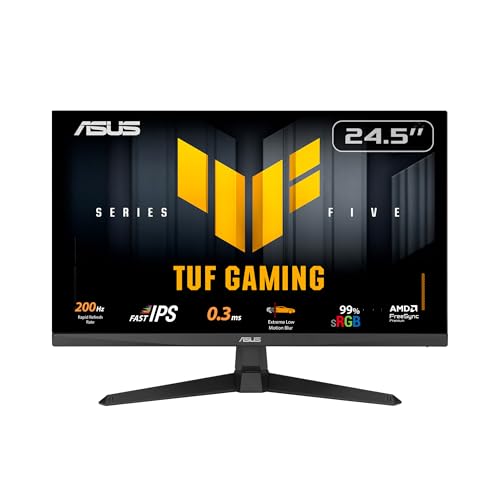
ASUS TUF Gaming VG259Q5A 24.5-inch 200Hz Fast IPS gaming monitor on its stand

ASUS

ASUS TUF Gaming VG259Q5A 24.5" 200Hz Fast IPS Gaming Monitor

200HzFast IPSFreeSync Premium
Budget
Rank #6

ASUS TUF Gaming VG259Q5A 24.5" 200Hz Fast IPS Gaming Monitor

Our Verdict

The budget gaming pick from a brand with an Australian warranty desk - a 24.5-inch Fast IPS panel at 200Hz with FreeSync Premium, two HDMI inputs, DisplayPort and built-in speakers, sold and shipped by Amazon AU.

7.1GoodTop7 Score
A$199
Verified today
★ 4.1(234 reviews)
✓ Ships from Australia✓ Free delivery with Prime
Check Price on Amazonon Amazon.com.au

The TUF Gaming VG259Q5A is ASUS's current entry-level esports screen, and it covers the things a first gaming monitor needs to get right. The 24.5-inch Fast IPS panel runs at 200Hz, so a frame stays on screen for about five milliseconds rather than the sixteen a 60Hz office monitor gives you, and ASUS quotes a 0.3 ms minimum grey-to-grey response with its Extreme Low Motion Blur mode for clearer tracking in shooters. FreeSync Premium is on by default and the panel is G-Sync Compatible, so variable refresh works with either GPU brand or a PS5 and Xbox over the two HDMI inputs, with DisplayPort left for the PC. Two small stereo speakers mean a console setup works without a separate pair, and HDR10 is accepted even if a 300-nit panel cannot do much with it. It stays at 1080p, which is the right call at this size and price: a 1440p panel would cost more to drive and more to buy. Owners on Amazon AU rate it 4.1 stars from more than 200 reviews, with the price and the smoothness for the money the recurring themes. It takes the budget slot from the Dell SE2426HG, which Amazon AU now lists only as a used Amazon Resale unit.

Picture
6.6
Colour
7.0
Features
8.1
Owners
6.8

Owners is the 4.1★ Amazon AU rating from 234 reviews, weighted toward the category average when there are few. Fewer than two published reviews of this exact model, so the owner rating carries that weight too. Tick marks show the category average.

How we scored it

Each measure is marked against the category's rubric, where 10 is the best you can buy, 8 is strong, 6 is basic but sound and 4 falls short. The bars show that mark on the Top7 scale (a 6 reads as 7.0, an 8 as 8.5); the notes quote the rubric mark.

  • Picture 6.6 (rubric 5.5): 24.5-inch 1080p Fast IPS at 200 Hz with 300 nits, 1000:1 contrast and HDR10 input per the listing; no local dimming or wide gamut, so HDR is nominal and pixel density is the lowest tier here.
  • Colour 7.0 (rubric 6): ASUS lists 99% sRGB coverage and no wider gamut; no allowlisted review has measured this model, so sRGB-only is the fair reading.
  • Features 8.1 (rubric 7.5): 200 Hz with FreeSync Premium and G-Sync compatibility, two HDMI 2.0 inputs, DisplayPort, stereo speakers and VESA mounting per the listing; no USB-C or KVM.

Pros

  • + 200Hz Fast IPS with FreeSync Premium and G-Sync Compatible - works with any GPU or console
  • + Two HDMI inputs plus DisplayPort for a PC and a console together
  • + Built-in stereo speakers, which most gaming monitors at this price skip
  • + Three-year ASUS warranty with Australian support
  • + Sold and shipped by Amazon AU

Cons

  • − 1080p only - no room to grow into a 27-inch desk later
  • − HDR10 input on a 300-nit panel adds little
  • − No USB-C input
200HzFast IPSFreeSync Premium1080p24.5-inchSpeakersBudget Gaming
Ships from AU warehouseAustralian Consumer Law may apply
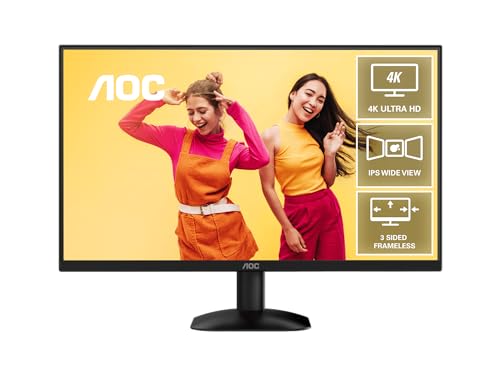
AOC U27B35 27 inch 4K UHD IPS monitor on a desk

AOC

AOC U27B35 27" 4K UHD IPS Monitor

4KIPSHDR10
Budget
Rank #7

AOC U27B35 27" 4K UHD IPS Monitor

Our Verdict

The cheapest name-brand way into 27-inch 4K right now - a plain, well-built IPS office panel with the sharpness that matters and none of the gaming extras you would be paying for.

7.0GoodTop7 ScoreNew — few reviews yet
A$233
Verified today
✓ Ships from Australia✓ Free delivery with Prime
Check Price on Amazonon Amazon.com.au

The Philips 27E1N1800A that held this slot has lost its featured offer on Amazon AU, and the AOC U27B35 takes over as the budget 4K pick. It is an unglamorous monitor and that is the point: a 27-inch IPS panel at 3840 x 2160, 60Hz, HDR10, DisplayPort and HDMI in, VESA 100x100 on the back, flicker-free backlight and a low blue light mode for long work days. At 4K on a 27-inch diagonal you get roughly 163 pixels per inch, so text is genuinely sharp at 100% scaling, which is the whole reason to buy 4K at this size for spreadsheets and code. Colour is the usual budget-IPS story - accurate enough for photos and video, not a print-proofing display - and the stand is tilt-only, so budget for an arm if you need height. There is no USB-C, no high refresh rate and no speakers worth mentioning. It ships from Computer Alliance, an established Australian retailer, and it is a new listing so there are no Amazon reviews yet. For a sharp, cheap productivity screen it is the best value on the page.

Picture
7.0
Colour
7.0
Features
5.9
Owners
7.6

This listing has no Amazon AU ratings yet, so Owners falls back to the category average. Fewer than two published reviews of this exact model, so the owner rating carries that weight too. Tick marks show the category average.

How we scored it

Each measure is marked against the category's rubric, where 10 is the best you can buy, 8 is strong, 6 is basic but sound and 4 falls short. The bars show that mark on the Top7 scale (a 6 reads as 7.0, an 8 as 8.5); the notes quote the rubric mark.

  • Picture 7.0 (rubric 6): 27-inch 4K IPS at 60 Hz with HDR10 signal support only; the card calls it a plain office panel with the usual budget-IPS contrast and no real HDR.
  • Colour 7.0 (rubric 6): The card says colour is accurate enough for photos and video but not for print proofing, with no gamut or calibration figure. sRGB-class budget IPS.
  • Features 5.9 (rubric 4.5): 60 Hz, tilt-only stand, no USB-C and no speakers worth mentioning per the card; DisplayPort and HDMI inputs plus VESA 100x100 keep it just above the floor.

Pros

  • + True 4K IPS at around A$278 - the cheapest name-brand 27-inch 4K in stock on Amazon AU
  • + 163 pixels per inch keeps text crisp at 100% scaling
  • + Flicker-free with a low blue light mode for long work days
  • + VESA 100x100 mounting and sold by an Australian retailer

Cons

  • − 60Hz - not for high-refresh gaming
  • − No USB-C for single-cable laptop docking
  • − Tilt-only stand, no height adjustment
  • − New listing with no Amazon AU reviews yet
4KIPSHDR10Flicker-FreeBudget
Ships from AU warehouseAustralian Consumer Law may apply

How we rank monitors

Each monitor is compared across four key areas: picture quality (resolution, contrast, HDR performance), colour accuracy (gamut coverage and calibration as measured by professional reviewers), features (connectivity, ergonomics, built-in extras), and value for money. We rank on the listed specs, the maker's own figures, professional reviews and Amazon AU ratings and reviews across gaming, productivity and media use. We don't buy or test the monitors. We check pricing and stock daily and review rankings weekly to keep our recommendations current.

Scored on Picture 45%, Colour accuracy 25%, Features 30%, plus owner ratings and critic reviews
Prices re-verified every morning
No brand pays for placement
top7.au · Updated 8 November 2026Read our full methodology →

How to Choose the Right Monitor

Resolution and Size

For most people, 27 inches at 4K (3840x2160) is the sweet spot, offering sharp text and detailed images without needing to scale the interface. If you sit further back or want more screen real estate, 32 inches works well too. At 24 inches, 1080p is still perfectly fine and keeps costs down.

Refresh Rate

If you game, look for at least 144Hz for noticeably smoother motion. For office work, video editing, or general use, 60Hz is perfectly adequate. Higher refresh rates do come at a premium, so only pay extra if you'll actually benefit from it.

Panel Type

IPS panels offer the best colour accuracy and viewing angles, making them ideal for creative work and general use. VA panels deliver deeper blacks and higher contrast but can suffer from slower response times. Nano IPS and Quantum Dot panels push colour and brightness further for HDR content.

Connectivity

USB-C with Power Delivery is a game-changer for laptop users, letting you charge and display from a single cable. HDMI 2.1 is essential for 4K at high refresh rates. Check how many ports you need and whether the monitor includes a USB hub for peripherals.

Ergonomics and Build

Height adjustment, tilt, swivel, and pivot make a real difference for long sessions. Some budget monitors skimp on stand adjustability, so factor in the cost of a VESA mount if the included stand is basic.

Whether you're after buttery-smooth gaming, pixel-perfect colour accuracy for creative work, or just a solid everyday display that won't break the bank, we've compared and ranked the seven best monitors available on Amazon Australia right now. Our picks span every budget, from flagship 4K 144Hz panels down to brilliant sub-$250 options that punch well above their weight.

Monitors — Frequently Asked Questions

What size monitor is best for working from home?+

A 27-inch monitor is the most popular choice for home office setups in Australia - it offers a good balance of screen space and desk footprint. If you have a larger desk and want more room for multitasking, a 32-inch or ultrawide (34-inch) monitor can replace a dual-monitor setup. For smaller desks or bedrooms doubling as offices, a 24-inch monitor is perfectly adequate for everyday productivity.

Is 4K worth it for a computer monitor?+

For a 27-inch monitor or larger, 4K resolution makes a noticeable difference in text sharpness and image quality - especially for design work, photo editing, and reading long documents. At 24 inches, the difference between 4K and 1440p is harder to spot at normal viewing distances. If your primary use is office work and web browsing, a good 1440p monitor at 27 inches is often the smarter buy, saving you money while still looking sharp.

Do I need a high refresh rate monitor for office work?+

A high refresh rate (120Hz or above) is primarily beneficial for gaming and fast-moving content. For general office work, a standard 60Hz monitor is perfectly fine. However, some people notice that 75Hz or higher feels smoother when scrolling documents and web pages. If your budget allows, a monitor with at least 75Hz can offer a slightly more polished everyday experience without the premium cost of a full gaming monitor.

Should I buy a curved or flat monitor?+

Curved monitors work best at 32 inches and above, where the curve helps reduce distortion at the screen edges and creates a more immersive viewing experience. For 27-inch and smaller monitors, flat panels are generally preferred - a curve at that size can actually distort straight lines, which is problematic for design and productivity work. Ultrawide monitors benefit the most from curvature.

Can I use a TV as a computer monitor?+

You can, but it's not ideal for desk use. TVs are designed for viewing at several metres, so up close you may notice lower pixel density, input lag, and less accurate colours for productivity work. Modern 4K TVs with game modes can work reasonably well as large displays for media consumption. For dedicated computer use at a desk, a proper monitor will give you better text clarity, lower input lag, and features like USB-C connectivity and adjustable stands.

Reference

After you've bought one

  • Owner's records for monitors — the maker's support channels, Australian warranty, manual and firmware links, origin, and each product's ranking history here, including the picks we have retired.

Found this useful? Share it with fellow Aussies.

Share:

Related Reading

Other Categories

#1 Pick: Alienware 27 4K QD-OLED 240Hz Gaming Monitor (AW2725Q) — A$1,199