24 March 2026 · Tablets · AI-assisted · published by Jaco Olwagen · How we rank
Best Tablet for Uni Students in Australia (iPad vs Android, 2026)
iPad or Android tablet for Aussie uni students? We break down the best options at every budget so you pick the right one for your degree.
Quick Picks - Best Tablets for Aussie Uni Students
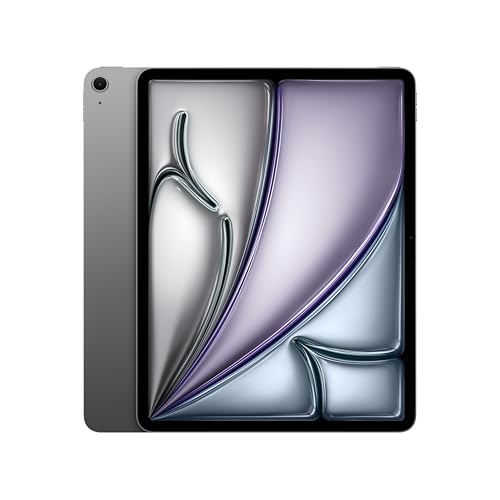
 Apple iPad Air (M4, 11-inch, 128GB Wi-Fi)Check Price
 Short on time? These are the three we'd point most students at on Amazon AU right now. Prices are a guide only - tap through for the live price.
| Tablet | Best For | Approx Price (AUD) |
|---|---|---|
| Apple iPad Air (M4, 11-inch, 128GB Wi-Fi) | Best overall for most students | ~A$1,247 |
| Lenovo IdeaTab Plus 12.1" (pen included) | Best value Android | ~A$398 |
| Apple iPad (A16, 128GB Wi-Fi) | Best value entry-level iPad | ~A$747 |
iPad or Android Tablet - Which Is Right for Aussie Uni Students?
Tablets have gone from a "nice to have" to a genuine workhorse for a lot of uni students. Whether you're annotating PDFs in a lecture theatre, sketching diagrams for an engineering assignment, or watching recordings on the couch at midnight - a decent tablet can make the whole degree a bit less painful.
But the big question is always the same: do you go iPad, or do you save some cash and grab a Samsung Galaxy Tab or a Lenovo? The honest answer is: it depends on what you're actually doing. Let's break it down properly.
Why the iPad Still Wins for Most Uni Students
For note-taking with a stylus, the iPad is hard to beat. Apps like GoodNotes 6, Notability, and Goodnotes have become genuinely beloved by students who handwrite their notes - and for good reason. The Apple Pencil's palm rejection is still better than most Android equivalents, and the app quality on iPad is noticeably higher for academic workflows.
The iPad also gets software updates for longer than almost any Android tablet, which matters if you're buying something that needs to last through a 3-4 year degree. And if you're already on a Mac or iPhone, the ecosystem stuff - Handoff, AirDrop, Sidecar - is legitimately useful rather than just marketing fluff.
iPad Air M4 (~A$1,247) - The Recommended Starting Point
The 11-inch iPad Air M4 is the sweet spot for most students. (The M2 model this guide used to name has sold out on Amazon AU - the M4 is its direct replacement and the only current Air.) You get a stunning Liquid Retina display, USB-C with decent transfer speeds, support for the Apple Pencil Pro, and an M4 chip that will handle everything from lecture slides to light video editing without breaking a sweat. It's powerful enough to last the duration of a degree and beyond.
Apple Education Store pricing knocks a bit off if you have a student discount - Apple regularly bundles free AirPods with student purchases during its Back to School promo (usually running from February through April). That's a solid deal if the timing works out.
iPad (A16, 128GB) (~A$747) - Best Value iPad
 iPad (A16)Check Price
 If budget is tight, the iPad (A16) is the entry point - is the entry point. Apple has moved its standard iPad to the A16 chip and doubled the base storage to 128GB, and it lands around A$747 on Amazon AU. The 10th-gen model this guide used to name here has sold out. It runs the A16 chip, has a USB-C port, and supports the second-generation Apple Pencil. It's heavier than the Air and the display is a step down, but for most students writing essays and annotating PDFs, you'd barely notice the difference day to day.
The one catch: the second-generation Apple Pencil charges wirelessly via the iPad's magnetic side, but the standard iPad uses USB-C for Pencil charging (the pairing magnets are there, but no wireless charge). Annoying but manageable.
When to Consider Android Instead
Android tablets have genuinely closed the gap in 2026. If you're on a tight budget, prefer a larger screen, or want more storage flexibility - or you're just not in the Apple ecosystem - there are solid options worth considering.
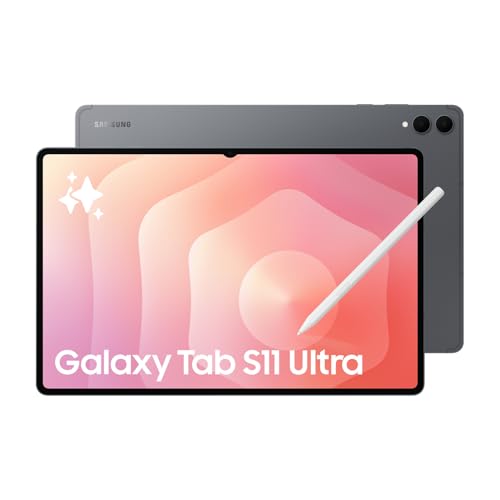
Samsung Lenovo IdeaTab Plus (~A$398) - Best Value Android
 Lenovo IdeaTab Plus 12.1"Check Price
 The Lenovo IdeaTab Plus 12.1" has taken this slot from the Galaxy Tab S10 FE, which has thinned out to a unit or two on Amazon AU with most remaining listings being overseas imports. The Lenovo is the better student buy anyway, and by a wide margin: a 12.1-inch 2.5K display against the Samsung's 10.9-inch, 256GB of storage against 128GB, 8GB of RAM, and a pen included in the box - all for around A$398 rather than A$699. The extra screen area is the part that matters most if you are annotating PDFs of lecture slides side by side with your notes.
The Exynos 1580 chip handles uni workloads easily: document editing, web browsing, video calls, and streaming without issues. Samsung DeX mode (desktop-like interface when connected to a monitor) is genuinely useful for working in the library or at home. Battery life consistently hits 10-12 hours, which is class-leading at this price.
The downside? Samsung's software update commitment, while improved, still doesn't match Apple's. And note-taking apps on Android, while functional, lack the polish of GoodNotes or Notability on iPad.
Lenovo Tab P12 Pro (A$799) - Best for Media and Large-Screen Work
If you want a bigger screen for a reasonable price, the Lenovo Tab P12 Pro delivers a gorgeous 12.6-inch AMOLED display that absolutely smashes watching lectures or doing side-by-side work. At A$799, it undercuts an equivalent iPad Air by a couple of hundred dollars.
It's not as snappy as a Samsung or Apple flagship, but for most student tasks it holds its own. The included Precision Pen 3 stylus is comfortable to use, though the writing experience doesn't quite match Apple Pencil precision. Great choice if you want a big screen without the big price tag.
What About a Windows Tablet?
The Microsoft Surface Pro is technically an option, but for most students it's overkill - you're basically buying a laptop that also has a touchscreen. If your course requires Windows software (certain engineering tools, AutoCAD, specific research software), a Surface Pro makes more sense than an iPad + laptop combo. But for the majority of degrees, you'd be better off with a dedicated laptop and a more affordable iPad or Android tablet.
Which Features Actually Matter for Uni
- Stylus support: If you handwrite notes, this is non-negotiable. Check that the stylus is included or budget for one separately.
- Battery life: You need 8+ hours minimum. A tablet that dies at 2pm is useless. Both the iPad and the Lenovo exceed this comfortably.
- Screen size: 10-11 inches is the sweet spot for portability and usability. Under 10 inches is cramped for reading; over 12 inches gets heavy and awkward.
- Storage: 128GB minimum. You'll accumulate a lot of PDFs, recordings, and apps over 3-4 years. Expandable storage (microSD) is a real advantage Android has over iPad.
- Keyboard cover compatibility: If you want to use it as a laptop replacement during lectures, check what keyboard accessories are available and what they cost.
The Verdict: Which Should Aussie Uni Students Buy?
For most students, the iPad Air M4 is the recommendation. Yes, it's more expensive - but the software quality, stylus experience, and longevity justify the premium for something you'll use every day for years. Use the Apple Education Store discount and you'll save at least A$100.
If you're on a tight budget and don't care about the Apple ecosystem, the Lenovo IdeaTab Plus is the honest runner-up. The included included pen, strong battery life and a 12.1-inch 2.5K screen make it excellent value at A$398.
And if your degree involves mostly consuming content rather than creating or handwriting - streaming lectures, light reading, casual browsing - honestly, even the base iPad (A16) from around A$747 will serve you well through your whole degree.
👉 See our full Top 7 Tablets list
EOFY 2026: Can You Claim a Tablet on Tax?
If you're a working student, run a side hustle on an ABN, or use your tablet for genuine self-education tied to your current income, the end of the financial year (30 June) is worth a thought before you buy. The general rule: you can usually only claim the work-related or income-producing portion of a device, not the share you use for Netflix and group chats. For a tablet used part-time for paid work, that means apportioning the cost by your honest work-use percentage.
A couple of things that make EOFY the right window: an asset costing A$300 or less that's used predominantly to produce assessable income can generally be claimed as an immediate deduction - which covers the entry-level iPad and the Lenovo if your work-use share brings the claimable amount under that line. Higher-priced tablets are typically depreciated over their effective life instead, or written off under the instant asset write-off if you're a sole trader whose small business qualifies. To land on this year's return, the tablet needs to be paid for and ready to use by 30 June. This is general information only, not tax advice - check ato.gov.au or talk to a registered tax agent before claiming.
Where to Buy in Australia
For iPads, the Apple Education Store is the first stop - student discount is automatic with a uni email, and the Back to School promo often bundles AirPods. JB Hi-Fi and Officeworks both price-match, so it's worth a quick check. For Samsung and Lenovo tablets, JB Hi-Fi is usually the most competitive, and their staff can demo the stylus experience in-store if you're unsure.
Avoid grey imports - Australian Consumer Law gives you strong warranty rights that only apply to products sold by authorised Australian retailers. It's not worth saving A$50 to lose that protection on a A$700+ device.
Top Picks - Check Latest Prices

See Our Top 7 Tablets for Australia
Hand-picked and ranked by our editors — with honest pros, cons, and Aussie pricing.
More Tablets Reading
Best Drawing Tablet Australia 2026 - 7 Picks From A$40 to A$999
Best drawing tablet Australia 2026: 7 picks with live Amazon AU prices, from a A$40 XPPen Deco to the Huion Kamvas 16 Gen 3, and what is actually in stock.
Best E-Ink Tablet Australia 2026: The Digital Notebooks Worth Your Money
The best e-ink tablet Australia has in 2026, from the reMarkable Paper Pro to the Kindle Scribe and BOOX Note Air 4 C. Prices, picks and honest trade-offs.
Best Tablet Australia 2026: 6 Picks From a $329 Android to the M5 iPad Pro
Best tablet Australia 2026: six picks from a $329 Galaxy Tab to the M5 iPad Pro, with Amazon AU prices, who each one suits, and the catches worth knowing.
Weekly AU tech deals, in your inbox
We check prices on every product we cover daily. Once a week we send the biggest genuine price drops we spot - the ones worth your attention.
- One email a week, max
- No spam, ever
- Unsubscribe in one click