22 July 2026 · Tablets · AI-assisted · published by Jaco Olwagen · How we rank
Best E-Ink Tablet Australia 2026: The Digital Notebooks Worth Your Money
The best e-ink tablet Australia has in 2026, from the reMarkable Paper Pro to the Kindle Scribe and BOOX Note Air 4 C. Prices, picks and honest trade-offs.
Best E-Ink Tablet Australia 2026: The Digital Notebooks Worth Your Money
There's a certain kind of person who has tried every note-taking app going and still keeps a paper notebook on the desk because nothing beats the feel of a pen actually moving across a page. If that's you, the best e-ink tablet Australia has on shelves in 2026 might be the gadget you didn't know you were waiting for. These things sit somewhere between a Kindle and an iPad: a matte, glare-free screen you can scribble on for hours without your eyes going square, no pinging notifications, and battery life measured in weeks rather than hours. If you're weighing one up against a proper slate, it's worth a look at our best tablets Australia picks too, and our best e-readers guide if reading is really what you're after.
The catch is these aren't cheap, and the market has gotten genuinely confusing. You've got reMarkable pushing paper-purist minimalism, Amazon bolting a stylus onto the Kindle, and BOOX cramming full Android onto e-ink. So we've cut through it. Below are the e-ink tablets actually worth buying in Australia right now, what each one nails, and where each one will drive you a bit mad. Prices are what you'll see on Amazon AU, and they move around, so treat them as a guide rather than gospel.
Quick Picks - Top 3 E-Ink Tablets
| Product | Best For | Price (AUD) |
|---|---|---|
| reMarkable Paper Pro | Best overall writing experience | ~A$929 |
| Kindle Scribe (2024) | Best all-rounder for reading and writing | ~A$649 |
| BOOX Note Air 4 C | Best for apps and colour | ~A$799 |
What Makes a Good E-Ink Tablet in 2026?
Before the picks, a quick reality check on what you're actually buying. An e-ink tablet is not a replacement for your laptop or your iPad. It does two things brilliantly and everything else at half pace. Here's what separates the good from the merely expensive.
Writing feel. This is the whole game. The best screens have a bit of friction and near-zero lag between your pen touching the glass and the ink appearing, so it reads like a real pen on real paper. Cheap ones lag, and once you notice the lag you can't unsee it.
Colour or black and white. Colour e-ink (the Kaleido and Gallery panels) looks softer and more muted than a phone screen, a bit like a watercolour. It's dead handy for colour-coding notes or reading comics, but it makes the black-and-white text slightly less crisp. Purists still swear by mono.
The ecosystem lock-in. reMarkable and Kindle keep you inside their own walls. BOOX runs full Android, so you can load OneNote, Notion, Google Docs, even Kindle itself. More freedom, more faff.
Ongoing costs. reMarkable now offers a Connect subscription for cloud features. You can use the tablet without it, but some handy extras sit behind the paywall. Worth knowing before you commit.
reMarkable Paper Pro - Best Overall Writing Experience
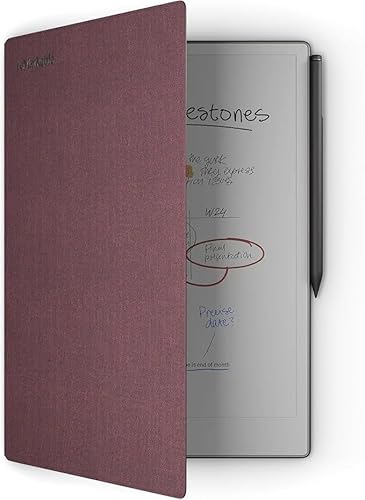 reMarkable Paper ProCheck Price
 If the writing feel is the only thing you care about, this is the one. The Paper Pro has an 11.8-inch colour Canvas display, a built-in adjustable reading light (the older reMarkable had no backlight at all, which was a genuine pain in a dim room), and the lowest writing latency of anything here. Putting the Marker to the screen feels uncannily close to a fineliner on cartridge paper. There's a subtle texture and the ink just appears under the nib.
reMarkable's whole pitch is focus. There's no browser, no email, no app store, nothing to pull your attention away from the page in front of you. For people who bought a tablet to think and instead spent three hours doom-scrolling, that restriction is the entire point. It syncs your notes to a phone app so you're not marooned, and handwriting-to-text conversion is genuinely usable.
The Marker Plus with its built-in eraser comes in the bundle, so factor that into the price. Expect to pay from around A$929 on Amazon AU for the tablet and pen together, with leather folio bundles climbing well past that.
The good: the best-in-class writing feel, a lovely bright screen, and zero distractions.
The trade-off: it's pricey, it does very little beyond writing and reading PDFs, and some cloud features now sit behind a subscription. This is a tool for one job, and it's brilliant at that one job.
Kindle Scribe (2024) - Best All-Rounder
 Kindle Scribe (2024)Check Price
 If you can only justify owning one device that both reads and writes, the redesigned 2024 Kindle Scribe is the sensible answer. You're getting the entire Kindle library, that lovely 10.2-inch 300ppi Paperwhite screen for reading, and now the ability to write directly on the page of a book or a PDF and have your notes tuck neatly into the margin. The Premium Pen is included and, like reMarkable's, never needs charging.
The 2024 model got a flush glass front with even white borders, so it looks a fair bit more modern than the old one, and Amazon added AI-powered summaries of your handwritten notebooks. It's not going to out-write the reMarkable on pure feel, but it's not far off, and it does the reading half of the equation better than anything else on this list.
The real kicker for Aussies is the price. It starts from around A$649 on Amazon AU, but the 2024 Scribe has dropped as low as the mid-A$400s during sales, which makes it comfortably the best value here. Keep an eye out around Prime Day and Black Friday.
The good: a top-tier reader and a solid writer in one body, includes the pen, and it goes on sale properly.
The trade-off: you're locked into Amazon's world, and PDF and document handling is fussier than on the BOOX. Fine if your life already runs on Kindle, less so if it doesn't.
BOOX Note Air 4 C - Best for Apps and Colour
 BOOX Note Air 4 CCheck Price
 Here's the one for people who refuse to be told which apps they can run. The Note Air 4 C is a 10.3-inch colour e-ink tablet running full Android 13, which means the Google Play Store, which means OneNote, Notion, Google Docs, Obsidian, the actual Kindle app, and whatever else you already live in. It's the Swiss Army knife of the bunch.
The colour Kaleido 3 screen shows 4,096 colours, there's a front light with warm and cool modes for late-night sessions, and you get 6GB of RAM with 64GB of storage plus an octa-core chip pushing it all along. Battery life is quoted at around four weeks of typical use. For students juggling PDFs across a dozen apps, or anyone who wants their notes to sync into a system they already use, nothing else here comes close on flexibility.
The flip side of all that freedom is that Android on e-ink is never as buttery as it is on a phone. Screen refresh can ghost if you push it, and you'll occasionally fiddle with refresh settings to stop apps looking laggy. It sits around A$799 on Amazon AU, which is a fair chunk, but you're paying for a device that genuinely does more.
The good: runs any Android app, colour screen, huge flexibility, warm and cool front light.
The trade-off: the software is fiddlier than the walled-garden options, and pushing full apps onto e-ink can feel sluggish. Great for tinkerers, a bit much for people who just want to open the lid and write.
reMarkable 2 - Best Budget Purist Option
 reMarkable 2Check Price
 The reMarkable 2 is the older sibling, and it's still on sale because plenty of people prefer it. It's a 10.3-inch black-and-white tablet with the same distraction-free philosophy as the Paper Pro, just without colour and without the built-in backlight. If you only ever write in daylight or under a lamp, you honestly may not miss the light at all.
What you get is that famous reMarkable writing feel in a thinner, lighter body for a good chunk less money. It runs around A$629 for the tablet and Marker on Amazon AU, and it does the core job, capturing your thinking on a page, just as well as its flashier replacement.
The good: the reMarkable writing feel for less, seriously thin and light, brilliant for daytime note-takers.
The trade-off: no backlight and no colour, so night owls and colour-coders should look elsewhere. A focused tool for a focused person.
reMarkable Paper Pro Move - Best Ultraportable
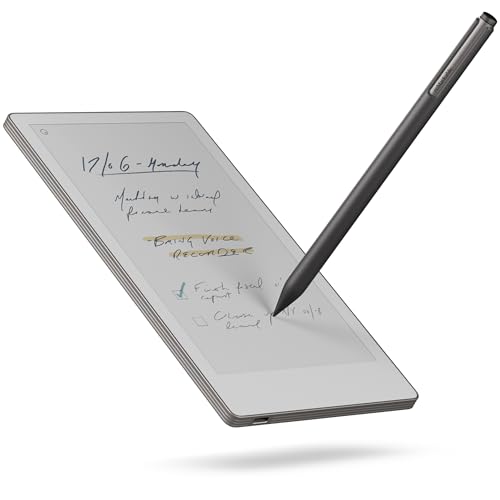 reMarkable Paper Pro MoveCheck Price
 New for this generation, the Paper Pro Move shrinks the whole idea down to a 7.3-inch colour screen you can actually slip into a jacket pocket or the side of a bag. It keeps the colour Canvas display, the reading light, and the Marker Plus, just in a form factor built for the tradie writing a quote on site, the nurse jotting between rounds, or anyone who found the full-size tablets a bit much to carry.
It's less of a desk device and more of a grab-and-go notebook that happens to be digital. At around A$679 on Amazon AU it's not exactly pocket money, but for the right person the portability changes how often they'll actually reach for it.
The good: genuinely pocketable, keeps the colour screen and the light, same lovely writing feel.
The trade-off: the small screen is cramped for anything longer than a quick note, and you're still paying reMarkable money for a reMarkable-sized job.
So Which E-Ink Tablet Should You Actually Buy?
If writing is everything and you want the best pen-on-paper feel going, the reMarkable Paper Pro is the pick, no argument. If you want one device that reads your entire book collection and takes notes without you having to think about it, the Kindle Scribe is the smart-money choice, especially when it goes on sale. And if you refuse to be boxed in and want your notes flowing into the apps you already use, the BOOX Note Air 4 C is the flexible one to beat.
Whichever way you lean, an e-ink tablet is a bit of a slow-tech luxury: a screen that does less on purpose, so you end up doing more. In a world of buzzing phones, that's not the worst thing to spend a few hundred bucks on.
Still working out your setup? Have a squiz at our best tablets Australia guide if you're torn between e-ink and a proper slate, our best e-readers for 2026 if pure reading is the goal, and our picks for the best tablet for uni students and best laptop for uni students if you're kitting out for study. Prices and stock on Amazon AU shift constantly, so check the current listing before you commit.
Top Picks - Check Latest Prices

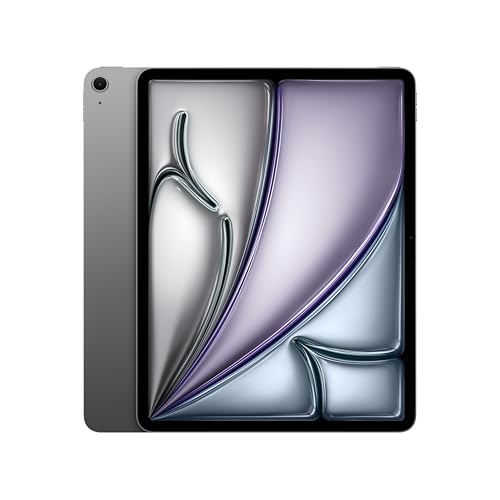
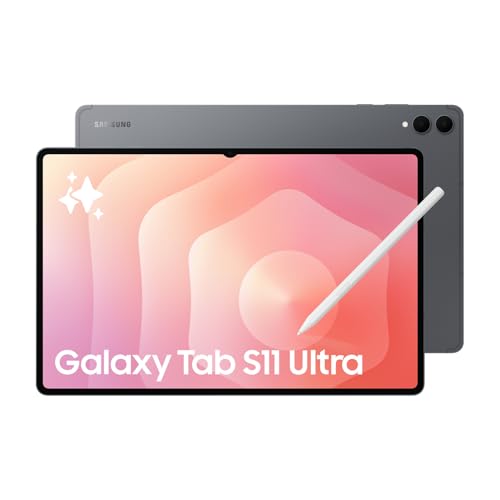
See Our Top 7 Tablets for Australia
Hand-picked and ranked by our editors — with honest pros, cons, and Aussie pricing.
More Tablets Reading
Best Tablet Australia 2026: 6 Picks From a $329 Android to the M5 iPad Pro
Best tablet Australia 2026: six picks from a $329 Galaxy Tab to the M5 iPad Pro, with Amazon AU prices, who each one suits, and the catches worth knowing.
Best Tablet for Uni Students in Australia (iPad vs Android, 2026)
iPad or Android tablet for Aussie uni students? We break down the best options at every budget so you pick the right one for your degree.
Best Drawing Tablet Australia 2026 - 7 Picks From A$40 to A$999
Best drawing tablet Australia 2026: 7 picks with live Amazon AU prices, from a A$40 XPPen Deco to the Huion Kamvas 16 Gen 3, and what is actually in stock.