17 March 2026 · Storage · AI-assisted · published by Jaco Olwagen · How we rank
SSD vs HDD: Which Storage Drive Do You Actually Need?
A plain-English guide to choosing between SSDs and HDDs in Australia, covering speed, capacity, pricing in AUD, and which type suits different use cases.
Storage Drives: The Unsexy Purchase That Matters More Than You Think
Nobody gets excited about buying a storage drive. It's not like unboxing a new phone or laptop - there's no wow factor, no showing it off to your mates. But storage is the one upgrade that makes the single biggest difference to how your computer feels to use. A slow drive makes everything sluggish. A fast one makes everything snap.
If you're buying a new drive in 2026 - whether it's an upgrade for your PC, a replacement for a dying laptop drive, or external storage for backups - here's what you need to know.
Quick Picks - Best Storage Drives in Australia
 Samsung 990 EVO Plus 1TB NVMeCheck Price
 Short on time? These three cover the jobs most people need a drive for - a fast internal NVMe boot/main drive, a tough pocketable SSD for daily carry, and a cheap high-capacity HDD for backups. Every ASIN has been verified on amazon.com.au with current Australian stock. Prices drift, so tap through for the live figure.
| Drive | Best For | Price (AUD) |
|---|---|---|
| Samsung 990 EVO Plus 1TB NVMe | Best primary drive - fast Gen4 NVMe for boot and apps | ~A$139 |
| Samsung T7 Shield 1TB portable SSD | Best daily-carry - IP65 rugged, ~1,050 MB/s over USB-C | ~A$159 |
| WD Elements 4TB desktop HDD | Best bulk backup - cheapest per-GB capacity for archives | ~A$149 |
EOFY 2026 note: a drive bought for work counts as deductible equipment. Employees claim the work-use portion (most drives are well under the A$300 instant-claim threshold, so you can usually deduct the work share outright); sole traders and small businesses can use the instant asset write-off (A$20,000 per-asset threshold for eligible small businesses in 2025-26). Buy before 30 June and keep the tax invoice. Check your eligibility with your accountant or the ATO.
SSD vs HDD: The Fundamental Difference
Hard Disk Drives (HDDs)
HDDs are the old-school option. They use spinning magnetic platters and a mechanical arm to read and write data - essentially tiny record players inside your computer. They've been around since the 1950s, and while the technology has improved enormously, the basic concept hasn't changed.
HDDs are slow by modern standards. Sequential read speeds typically sit around 100-200 MB/s, and random read/write performance (which affects how snappy your computer feels) is dramatically worse. The mechanical parts also make them fragile - drop a laptop with a spinning HDD and you risk losing everything.
So why do HDDs still exist? Simple: price per gigabyte. A 4TB HDD costs around A$120-$150. A 4TB SSD costs A$350-$500. For sheer storage capacity on a budget, HDDs are still unbeatable.
Solid State Drives (SSDs)
SSDs use flash memory - the same technology in your phone and USB sticks - with no moving parts. This makes them faster, quieter, more durable, and more energy-efficient than HDDs. The speed difference isn't subtle: a modern NVMe SSD reads data at 3,000-7,000 MB/s. That's 30 to 70 times faster than an HDD.
In practical terms, an SSD means your computer boots in 10 seconds instead of 60, apps open instantly instead of bouncing in the taskbar, and file transfers happen in a fraction of the time. It's the single biggest quality-of-life improvement you can make to an older computer.
Types of SSDs Explained
This is where it gets a bit technical, but it matters for compatibility.
2.5-Inch SATA SSDs
These look like small, thin versions of traditional HDDs and connect via a SATA cable. They're the oldest type of SSD and the slowest (though still far faster than any HDD). Maximum speeds top out around 550 MB/s due to SATA interface limitations.
Best for: upgrading older laptops and desktops that don't have M.2 slots. If your computer currently has an HDD, a 2.5-inch SATA SSD is almost certainly a compatible upgrade.
Pricing in Australia: A 1TB 2.5-inch SATA SSD runs about A$90-$130. The Samsung 870 EVO and Crucial MX500 are the go-to picks.
M.2 NVMe SSDs
These are the current standard. M.2 NVMe drives are small sticks (about the size of a piece of chewing gum) that plug directly into an M.2 slot on your motherboard. They're dramatically faster than SATA drives, with entry-level NVMe drives hitting 3,500 MB/s and premium Gen 4 drives reaching 7,000 MB/s.
Most laptops and desktops built after 2019 have at least one M.2 slot. If your machine supports it, NVMe is the way to go.
Pricing in Australia: A 1TB NVMe SSD costs about A$100-$170 depending on speed tier. The Samsung 990 EVO, WD Black SN770, and Kingston NV2 are popular choices. A 2TB NVMe drive runs A$180-$300.
Gen 5 NVMe SSDs
The latest generation, offering speeds up to 12,000+ MB/s. These are ludicrously fast, but honestly, most people won't notice the difference between a Gen 4 and Gen 5 drive in everyday use. They also run hot and require a heatsink.
Unless you're doing heavy video editing, massive file transfers, or just want the absolute best, Gen 4 is still the sensible choice. Gen 5 drives cost A$200-$350 for 1TB in Australia, and the premium isn't justified for typical use.
External Storage Options
If you need portable storage for backups, transferring files, or carrying your media library around, external drives come in both HDD and SSD flavours.
External HDDs
Still the best bang for buck when you need lots of capacity. A 2TB portable HDD from Seagate or WD costs around A$80-$100. A 4TB model is A$130-$170. They're fine for backups, media storage, and archiving files you don't access frequently.
The main downside beyond speed is durability. Portable HDDs are fragile - one good drop can kill them. If you're chucking an external drive in your bag every day, an SSD is safer.
External SSDs
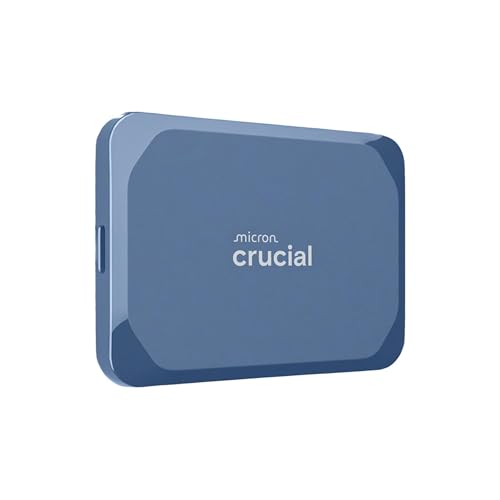
Portable SSDs are compact, fast, and tough. They're about the size of a credit card (slightly thicker), can survive drops and bumps, and transfer files at 1,000-2,000 MB/s via USB 3.2. For photographers, videographers, and anyone who moves large files around, they're worth the premium.
Pricing: a 1TB portable SSD costs A$120-$180 in Australia. The Samsung T7 Shield, WD My Passport SSD, and SanDisk Extreme are all solid picks. A 2TB model runs A$200-$320.
How Much Storage Do You Actually Need?
This depends entirely on what you're doing:
- General use (web, email, Office): 256GB is the minimum. 512GB gives you breathing room. Most people are fine with 512GB.
- Students: 512GB handles years of documents, assignments, and apps comfortably.
- Photo editing: 1TB minimum. RAW photo files add up fast, and you want space for your editing software and working files.
- Video editing: 2TB minimum for your working drive. Video files are enormous - a single hour of 4K footage can be 50-100GB.
- Gaming: 1TB is the starting point. Modern games regularly hit 50-100GB each, and some exceed 150GB. Serious gamers should look at 2TB - and if you are speccing a whole new machine, our best gaming laptops under $1,500 and best mini PCs guides cover the rest of the build.
- Bulk storage and backups: This is where HDDs still make sense. A 4-8TB HDD for A$150-$250 gives you room for years of backups.
👉 See our full Top 7 Storage Drives list
Common Mistakes to Avoid
- Buying a SATA SSD for a machine that supports NVMe: The price difference is tiny, but the speed difference is massive. Always check if your laptop or desktop has an M.2 NVMe slot before defaulting to SATA.
- Buying the cheapest no-name SSD: Budget SSDs from unknown brands often use inferior NAND flash and lack DRAM cache, which means they slow down dramatically when you fill them up. Stick to Samsung, WD, Kingston, Crucial, or SK Hynix.
- Not backing up before cloning: If you're upgrading your laptop's drive, always back up your data before you start. Drive cloning usually goes smoothly, but "usually" isn't "always."
- Filling an SSD to capacity: SSDs slow down noticeably when they're more than 80-90% full. Always leave some headroom.
- Ignoring endurance ratings: SSDs have a finite number of write cycles. For consumer use, this is rarely an issue - a typical 1TB SSD is rated for 300-600 TBW (terabytes written), which is more than most people will write in a decade. But if you're using an SSD in a server or for constant video recording, check the TBW rating.
Our Recommendation
For most Aussies in 2026, here's the straightforward advice:
- Primary drive (laptop or desktop): 1TB NVMe SSD. Budget around A$120-$170. The Samsung 990 EVO Plus or WD Black SN770 are safe picks.
- Backup drive: 2-4TB external HDD. Budget around A$100-$170. WD Elements and Seagate Expansion are reliable and cheap.
- Portable drive for daily carry: 1TB external SSD. Budget around A$130-$180. The Samsung T7 Shield is the go-to.
Don't overthink it. Storage is one of those purchases where getting a "good enough" option from a reputable brand will serve you well for years. The best drive is the one that's big enough for your needs and fast enough that you never notice it.
Top Picks - Check Latest Prices

See Our Top 7 Storage for Australia
Hand-picked and ranked by our editors — with honest pros, cons, and Aussie pricing.
More Storage Reading
Best SSD for PS5 Australia 2026: M.2 NVMe Upgrades That Actually Fit
The best SSD for PS5 in Australia for 2026: licensed, fastest and best-value M.2 NVMe drives compared, with Amazon AU pricing and install tips.
NAS vs Portable SSD EOFY 2026 Australia: Which Storage Upgrade Should You Buy Before 30 June?
NAS vs portable SSD for EOFY 2026 Australia: which storage upgrade fits your work, budget and tax claim before 30 June. Picks on Amazon AU with prices in AUD.
Best microSD Card for Nintendo Switch 2 in Australia (2026)
The best microSD Express cards for Nintendo Switch 2 in Australia 2026. Verified Amazon AU prices, capacity guide and why regular microSD cards won't work.
Weekly AU tech deals, in your inbox
We check prices on every product we cover daily. Once a week we send the biggest genuine price drops we spot - the ones worth your attention.
- One email a week, max
- No spam, ever
- Unsubscribe in one click