25 May 2026 · Monitors · AI-assisted · published by Jaco Olwagen · How we rank
Best 4K Monitor Under $500 EOFY 2026 Australia - Seven Tax-Friendly Picks
Best 4K monitor under $500 EOFY 2026 Australia. Seven sub-A$500 picks on Amazon AU for sole traders and WFH workers buying before 30 June.
Best 4K Monitor Under $500 EOFY 2026 Australia
The cheapest credible 4K monitor in Australia used to be a A$700 ask. In May 2026 you can walk out of Amazon AU with a 27-inch IPS 4K panel for the price of a decent road bike helmet, and a 32-inch VA for not much more. The seven monitors below all sit under A$500 on Amazon AU at typical sticker prices, all run native 3840 x 2160 resolution, and all land comfortably inside the A$20,000 instant asset write-off threshold for sole traders and small businesses claiming against the 2025-26 financial year. With 30 June 2026 only five weeks away, this is the EOFY window where the price-to-spec ratio on entry 4K stops being a compromise. For the broader catalogue, the monitors category page on top7.au has the rest of the range, and our best monitor for tax claim 2026 guide covers the higher-end picks that may sit above the A$300 single-year deduction threshold for salaried claimers.
What changed in the last twelve months: panel makers ran out of margin in 1440p, so the new entry tier shifted to 4K. The trade-off used to be refresh rate - older sub-A$500 4K monitors stuck at 60 Hz with sluggish 5-8 ms response times. The 2026 generation has mostly moved to 4-5 ms IPS panels at 60 Hz with VESA HDR400 or HDR10, which is fine for spreadsheets, code, video calls, and the occasional Netflix night. Prices below reflect typical Amazon AU sticker in May 2026; expect EOFY discounts of A$30 to A$100 in the back half of June.
Quick Picks - Best 4K Monitors Under $500 EOFY 2026
| Product | Best For | Price (AUD) |
|---|---|---|
| LG Ultrafine 27US550-W | Best all-rounder for WFH | ~A$339 |
| Samsung 27" ViewFinity S70D | Cheapest credible 27-inch 4K IPS | ~A$299 |
| Samsung 32" ViewFinity S70D | Best 32-inch pick under A$500 | ~A$429 |
What You Can Claim and How
The 2025-26 financial year wraps up 30 June 2026. Buy a monitor on or before that date, use it for work, and the spend typically becomes claimable against the 2025-26 tax return you'll lodge from July onwards. Two paths, depending on how you're set up.
For salaried employees claiming a WFH allowance: items at A$300 or less can usually be claimed in full in the year of purchase. Every monitor under that threshold on this list qualifies as a single-year deduction. Anything between A$300 and A$500 (most of the picks here) is typically depreciated over the effective life of the asset - the ATO's general rule for computer monitors sits at four years, so you claim about a quarter of the cost each year for four years.
For sole traders and small businesses with turnover under A$10 million, the instant asset write-off currently sits at A$20,000 per asset for 2025-26. Every monitor in this guide sits well inside that ceiling - even buying three of them for a triple-screen setup lands under A$1,500. You claim the full work-use portion in a single year rather than depreciating across multiple returns.
Two things people get tripped up on. First, work-use percentage. If the monitor also gets used for evening gaming or the kids' homework, only the work portion is claimable. Be honest with the split. Second, keep the receipt and the EOFY purchase date evidence. The Amazon AU invoice email is enough.
What to Look For in a Sub-$500 4K Monitor
The sub-A$500 segment forces trade-offs. Here's the short version of what matters and what doesn't for a work display.
Panel type. IPS is the right answer for office work, photo viewing, and anything where colour accuracy matters - which is most WFH use. VA gives you better contrast and deeper blacks (good for video) but worse viewing angles. TN panels still exist at this price and should be skipped for a primary work monitor.
Connectivity. If you're driving the monitor from a MacBook or a laptop with a single USB-C port, the USB-C monitors in this list (the Dell S2725QC and AOC U27P2CA at the top of the price range) save you a docking station - one cable does power, video, and data. If you're plugging into a desktop with HDMI or DisplayPort, the cheaper picks with HDMI-only ports work fine.
Refresh rate. 60 Hz is the standard at this price and is fine for work. If you want higher refresh for casual gaming, the Dell S2725QS at 120 Hz is the outlier in this segment.
HDR. VESA DisplayHDR 400 is the basic tier and is mostly marketing at this price - real HDR starts at DisplayHDR 600 and up. Don't pay extra for an HDR badge under A$500.
Best 4K Monitor Under $500 - Our Picks for EOFY 2026
LG Ultrafine 27US550-W - Best All-Rounder for WFH
 LG Ultrafine 27US550-WCheck Price
 Around A$339 on Amazon AU. The Ultrafine 27US550-W is LG's current 27-inch 4K workhorse for home offices and small studios - and the reason it earns the all-rounder spot is the spec sheet: 27-inch 4K UHD IPS, wide colour coverage, HDR10, AMD FreeSync, and a proper height-adjustable stand with tilt. Not many sub-A$500 monitors give you the full ergonomic stand without a separate arm.
For sole traders building a deductible home office before 30 June, this is the safe pick - the colour accuracy is good enough for photo editing and design work, the IPS panel handles video calls properly, and the FreeSync support means the occasional after-hours gaming session won't tear. Sits a hair over the A$300 single-year deduction threshold for salaried claimers, so most employees will depreciate it. Sole traders running an ABN deduct the full work-use portion through the instant asset write-off for 2025-26.
The good: Height-adjustable stand at this price is unusual, IPS colour covers most design work, three-year warranty from LG Australia, current-generation panel revision.
The trade-off: 60 Hz only - not a gaming pick. HDR10 is entry-tier, not real HDR. Built-in speakers are weak even for video calls.
Samsung 27" ViewFinity S70D - Cheapest Credible 27-Inch 4K IPS
 Samsung 27" ViewFinity S70DCheck Price
 Around A$299 on Amazon AU. The ViewFinity S70D is Samsung's 2025-into-2026 entry 4K and the price has settled at a level that didn't exist twelve months ago - genuine 27-inch 4K IPS for under three hundred bucks. HDR10 support, eye-care certification through TÜV, slim bezels, and a basic tilt stand. Multiple HDMI and DisplayPort inputs round out the back.
For anyone whose Amazon AU cart needs to come in under A$300 to claim as a single-year salaried deduction, this is the answer. Get a proper 4K work monitor in the door at a price that doesn't trip the depreciation rules. For sole traders, A$299 inside the instant asset write-off is a no-brainer - you can buy two for a dual-screen setup and still come in under A$600.
The good: Sub-A$300 price gives salaried claimers the single-year deduction path, IPS panel with proper viewing angles, slim bezels look at home in a tidy desk setup, three-year Samsung Australia warranty.
The trade-off: Tilt-only stand, no height adjustment - pair with a monitor arm. No USB-C. Built-in speakers are basically a courtesy feature, not a real audio solution.
Samsung 32" ViewFinity S70D - Best 32-Inch Pick Under A$500
 Samsung 32" ViewFinity S70DCheck Price
 Around A$429 on Amazon AU. The 32-inch variant of the ViewFinity S70D swaps the IPS panel for VA - deeper blacks and stronger contrast at the cost of viewing angles. For a 32-inch screen sat directly in front of you, the off-axis trade-off doesn't really hurt. What you get instead is a screen genuinely big enough to run two documents side by side at native resolution without squinting.
The 32-inch 4K format is the productivity sweet spot for spreadsheet-heavy work, code editing, or any role where you want more real estate without going ultrawide. Inside the instant asset write-off threshold for sole traders, and the price under A$500 keeps depreciation manageable for salaried claimers. For comparison with smaller setups, our best home office monitor 2026 guide covers the 27-inch class in more detail.
The good: 32 inches at A$429 is excellent value, VA contrast is better than IPS for video content, HDR10 support, the screen size genuinely changes how much you can fit on it.
The trade-off: VA off-axis colour shift means it's a single-person screen. 60 Hz only. Tilt-only stand means a monitor arm is more or less mandatory at 32 inches to get the eye-level positioning right.
Philips 27E1N1800A - Cheapest Sub-$300 IPS With Speakers
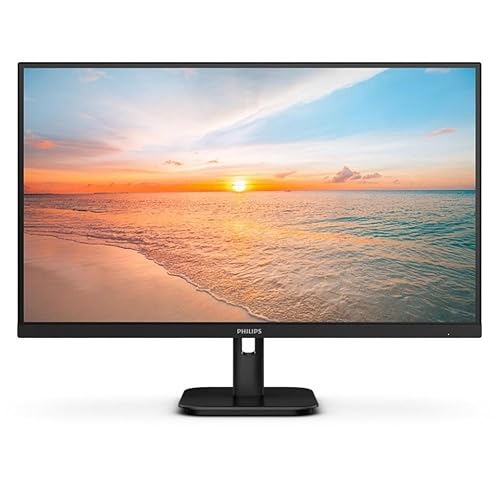 Philips 27E1N1800ACheck Price
 Around A$289 on Amazon AU. The Philips 27E1N1800A is the budget pick that doesn't feel like a downgrade - 27-inch 4K IPS, HDR10, AdaptiveSync, four-year advance replacement warranty (Philips runs the longest standard warranty in this segment), and built-in 3W speakers that are actually usable for video calls without bringing your own headset.
For a salaried claimer whose annual WFH deduction has to come from individually sub-A$300 items to qualify for the single-year path, the 27E1N1800A is the price-point pick. For sole traders adding a second screen to an existing setup, it slots in without thinking about it. Pair it with one of the picks from our dual monitor setup under A$1,000 EOFY guide for a properly cheap two-screen build.
The good: Sub-A$300 cleans the single-year deduction threshold, four-year warranty is best in class, speakers good enough for video calls, slim borders.
The trade-off: Tilt-only stand. Stand wobbles slightly on lighter desks. 60 Hz only. The DisplayHDR badge is decorative, not real HDR.
MSI PRO MP273U - Best Budget Spec-Shopper Pick
 MSI PRO MP273UCheck Price
 Around A$252 on Amazon AU. The PRO MP273U is MSI's no-nonsense 27-inch 4K office monitor - 27-inch 4K UHD IPS, 60 Hz, Adaptive-Sync, and both HDMI and DisplayPort inputs on the back. The stand is tilt-only, no height adjustment, which is exactly where MSI has spent nothing so the panel price stays low. If you've already got a monitor arm or a stack of books that lifts the screen to eye level, this is the cheapest credible way onto a 4K desktop.
This is the EOFY value pick if you're spec-shopping. You're getting a proper 4K IPS panel at a price that undercuts most of the field, and the HDMI plus DisplayPort pairing means it slots into a desktop without adapters. Pair with a monitor arm (our ergonomic accessories EOFY guide covers the Ergotron and Huanuo picks) and you've got a tidy 4K setup for well under A$400 all in.
The good: One of the cheapest credible 27-inch 4K IPS panels on Amazon AU, Adaptive-Sync, HDMI and DisplayPort inputs, no adapters needed for a desktop.
The trade-off: Tilt-only stand, no pivot or height adjustment. No USB-C. Built-in speakers are a courtesy feature at best.
AOC U27B35 - Best Business Pick for Long Days
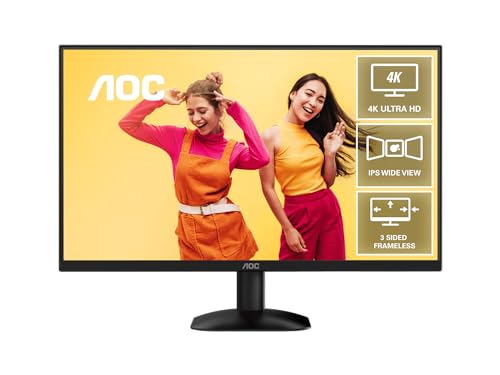 AOC U27B35 27" 4K UHD IPS MonitorA$249Check Price
 Around A$259 on Amazon AU. The U27B35 is AOC's 27-inch 4K business monitor - 27-inch 4K UHD IPS, flicker-free backlight, and low-blue-light modes aimed squarely at people who sit in front of a screen eight hours a day. It's the pick that prioritises eye comfort over headline features, and the price keeps it well inside the sub-A$300 bracket.
For anyone doing spreadsheet, code, or document work across a full workday, the flicker-free and low-blue-light certifications are the features that matter more than a spec-sheet HDR badge. Sole traders building a comfortable home office for the 2025-26 instant asset write-off get a proper 4K IPS panel at a price that doesn't sting, and salaried claimers stay under the A$300 single-year deduction threshold.
The good: Flicker-free and low-blue-light for long working days, sub-A$300 keeps the single-year deduction path clean, 27-inch 4K IPS with proper viewing angles, tidy business styling.
The trade-off: Business focus means no USB-C and a basic stand. 60 Hz only. Speakers aren't great. Not a design or gaming pick.
LG 27US500-W - Best New LG Pick for Late-2026 Buyers
 LG 27US500-WCheck Price
 Around A$379 on Amazon AU. The 27US500-W is LG's 2026 Ultrafine line-up entry - newer panel revision, slightly slimmer chassis, IPS 4K at the standard 60 Hz with HDR10 and FreeSync. The stand is tilt-only, like the budget MSI pick above, but the panel coating is improved on LG's older 27UP series and the colour calibration out of the box is closer to design-work usable than LG's older budget 4Ks.
For anyone holding off on a 4K upgrade through 2025 hoping the price would drop, the 27US500-W is the 2026 generation that landed at the right number. Sub-A$400, modern panel, proper LG warranty - this is the EOFY pick if the LG 27UP series feels two years old to you. Sits comfortably inside both the single-year threshold for depreciation and the instant asset write-off ceiling.
The good: Newest LG panel revision in the under-A$400 segment, improved colour calibration out of the box, slimmer chassis, three-year warranty.
The trade-off: Tilt-only stand. No USB-C on the base model. Some early units have shipped with firmware quirks on HDR mode - update on first setup.
How to Pick the Right Sub-$500 4K Monitor
The short version. If you want the best all-rounder and can stretch to A$339, the LG Ultrafine 27US550-W is the right answer - height-adjustable stand, IPS colour, three-year warranty. If you need to come in under A$300 to keep the single-year deduction path clean as a salaried employee, the Samsung 27" ViewFinity S70D at A$299 or the Philips 27E1N1800A at A$289 both qualify.
For long working days where eye comfort matters most, the AOC U27B35 at A$259 with its flicker-free, low-blue-light panel is the price-point pick. For more screen real estate, the Samsung 32" ViewFinity S70D at A$429 gives you the 32-inch jump without crossing A$500.
For a dual-screen build, two Philips 27E1N1800As at A$289 each comes to A$578 total - two 4K screens for the price of one mid-range single. Pair with a dual monitor arm from our ergonomic accessories guide for a sub-A$750 dual-4K setup that lands inside the instant asset write-off.
Our EOFY Pick
For most Australian sole traders and WFH workers buying a 4K monitor before 30 June 2026 to claim against the 2025-26 financial year, our pick is the LG Ultrafine 27US550-W at around A$339. It's one of the few sub-A$500 4K monitors that gives you a proper height-adjustable stand without bolting on a separate arm, the IPS panel covers design and photo work, and the three-year LG warranty is among the longest you'll get short of the four-year Philips advance replacement.
If the budget is tighter or the salaried single-year deduction threshold matters, the Samsung 27" ViewFinity S70D at A$299 is the price-point pick. Buy on or before 30 June 2026 to claim against this financial year if you're eligible - after that, you're waiting another twelve months for the deduction.
A Note on Tax
This article is general information only and is not tax advice. top7.au is not a registered tax agent. Whether you can claim a deduction depends on your circumstances - your work-use percentage, your business structure, and current ATO rules. Talk to a registered tax agent or check ato.gov.au before claiming any deduction based on information you read here.
More EOFY Reading
For the broader EOFY shopping calendar, our EOFY tech sales 2026 guide covers when each retailer's discounts start, and the JB Hi-Fi, Officeworks, and Amazon AU sale start dates piece breaks down the calendar by retailer. For the higher-end monitor picks above A$500, see our best monitor for tax claim Australia 2026 guide. For a complete WFH setup under A$1,000, the EOFY home office bundle guide bundles a monitor, keyboard, and accessories together. Or browse the full monitors and keyboards categories for the rest of the catalogue.
Top Picks - Check Latest Prices


See Our Top 7 Monitors for Australia
Hand-picked and ranked by our editors — with honest pros, cons, and Aussie pricing.
More Monitors Reading
Best Monitor Light Bar Australia 2026 - 7 Picks From A$54 to A$289
Best monitor light bar Australia 2026: 7 picks with live Amazon AU prices, from a A$54 Baseus i-Wok to the A$289 BenQ ScreenBar Halo 2.
Best Ultrawide Monitor Australia 2026: 7 Picks From Budget to QD-OLED
Best ultrawide monitor Australia 2026: 7 picks from a sub-$400 curved workhorse to 49-inch QD-OLED and 5K2K Thunderbolt, all on Amazon AU.
Best Portable Monitor Australia 2026: 7 Picks for Laptops, Gaming and Travel
The best portable monitor in Australia for 2026 - ASUS, MSI, Arzopa, UPERFECT and Verbatim compared with current AUD pricing and Amazon AU availability.
Weekly AU tech deals, in your inbox
We check prices on every product we cover daily. Once a week we send the biggest genuine price drops we spot - the ones worth your attention.
- One email a week, max
- No spam, ever
- Unsubscribe in one click