As an Amazon Associate, top7.au earns from qualifying purchases. Product prices and availability are accurate as of the date/time indicated and are subject to change. Any price and availability information displayed on amazon.com.au at the time of purchase will apply.
Rankings re-checked weekly · Last re-checked 17 September 2026
·Prices updated daily·AI-assisted, run by Jaco Olwagen
3 quick taps — we'll match you to a pick using the same scores we rank with.
The picks, in order
7 picks
Number one at the top, number 7 at the bottom. The tier label on each card says which price bracket it sits in.
★Editor's Choice
1
Crucial
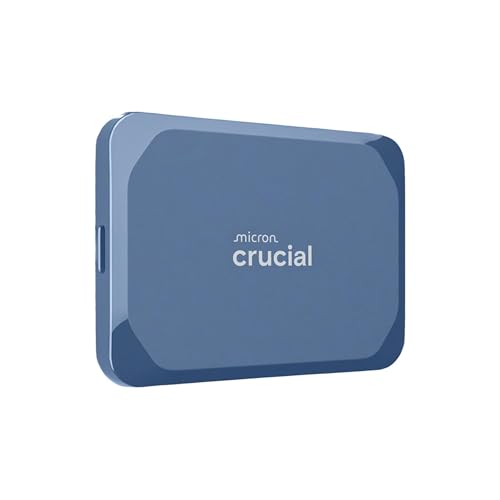
Crucial X10 Portable SSD 2TB
portable-ssdusb-crugged
PremiumOn Sale
Rank #1
Crucial X10 Portable SSD 2TB
Our Verdict
Crucial's newest 2TB X10 - 2,100MB/s reads via USB 3.2 Gen 2x2, IP65 dust and water resistance, and 3-metre drop protection at a sharp price.
Why it's number one: Leads on Capacity range with the only line that reaches 8 TB and matches the best Speed score at a rated 2,100 MB/s over Gen 2x2, with IP65 and a 3 m drop rating; TechRadar gave the 2 TB unit 4/5 (1 review, 4.0/5), and owners rate the X10 4.6 stars across 1,766 reviews.
The Crucial X10 2TB is the natural successor to the X10 Pro after the latter ran into availability issues on Amazon AU, and it's actually a notable upgrade in some areas. The IP rating has stepped up to IP65 (over IP55 on the Pro), drop protection now reaches 3 metres, and the smaller, lighter chassis is easier to live with in a camera bag or backpack. Read speeds are unchanged at 2,100MB/s over USB 3.2 Gen 2x2, which is enough to transfer a 100GB folder of 4K footage in around a minute, and it works seamlessly across PC, Mac, PlayStation, Xbox, Android, and iPad. AES 256-bit hardware encryption protects your data on the road. It's keenly priced for 2TB of Gen 2x2 performance, and Crucial backs it with a 5-year limited warranty. The main trade-off remains the lack of dedicated drive-management software like Samsung Magician, but for most users plug-and-play simplicity is exactly what they want.
Speed
9
Durability
9
Capacity
10
Owners
8
Owners is the 4.6★ Amazon AU rating from 1,772 reviews, weighted toward the category average when there are few. Fewer than two published reviews of this exact model, so the owner rating carries that weight too. Tick marks show the category average.
How we scored it
Speed 9: Rated 2,100 MB/s read over USB 3.2 Gen 2x2 per the card, the 2,000 to 2,999 band; needs a Gen 2x2 host, about half that on a plain 10 Gbps port.
Durability 9: IP65 and a 3 m drop rating per the card and TechRadar; TechRadar lists encryption as software only, so it misses the hardware-encryption part of the top anchor.
Capacity 10: The X10 line runs 1, 2, 4, 6 and 8 TB per TechRadar, the only line here reaching 8 TB; this is the 2 TB unit.
This slot used to hold the Samsung T9 4TB, and it lost it on availability rather than merit: the only T9 4TB listings left on Amazon AU are imported units with US part numbers, no Add to Cart button and a price around fifty per cent above what 4TB of Gen 2x2 storage costs elsewhere on the site. The X10 4TB is the drive to buy instead. It reads at up to 2,100MB/s over USB 3.2 Gen 2x2 - marginally faster than the T9 on paper and in the same class in practice - so a 100GB folder of 4K footage moves in roughly a minute rather than the four or five a 1,050MB/s drive needs. Where it pulls clearly ahead is toughness: IP65 dust and water resistance and 3-metre drop protection, against no IP rating at all on the T9. That is the difference between a studio drive and one you can put in a camera bag on a shoot. It is plug and play across Windows, macOS, Android, iPad, Linux, PlayStation and Xbox, and Crucial backs it with a 5-year limited warranty. Two things to know: those peak speeds need a USB 3.2 Gen 2x2 host port, and a Mac or an older laptop will hold it to around 1,050MB/s; and Crucial ships no drive-management suite in the class of Samsung Magician, so firmware and health monitoring are more manual. It currently ships from Amazon UK, so allow extra delivery time.
Speed
9
Durability
9
Capacity
10
Owners
8
Owners is the 4.6★ Amazon AU rating from 1,772 reviews, weighted toward the category average when there are few. Fewer than two published reviews of this exact model, so the owner rating carries that weight too. Tick marks show the category average.
How we scored it
Speed 9: Rated 2,100 MB/s read over USB 3.2 Gen 2x2 per the card, the 2,000 to 2,999 band; needs a Gen 2x2 host, about half that on a plain 10 Gbps port.
Durability 9: IP65 and a 3 m drop rating per the card and TechRadar; TechRadar lists encryption as software only, so it misses the hardware-encryption part of the top anchor.
Capacity 10: The X10 line runs 1, 2, 4, 6 and 8 TB per TechRadar, the only line here reaching 8 TB; this is the 4 TB unit.
Pros
+ 4TB at up to 2,100MB/s over USB 3.2 Gen 2x2 - full speed at maximum capacity
+ IP65 dust and water resistance plus 3-metre drop protection
+ Roughly A$500 less than the grey-import 4TB drives it replaces
+ Plug and play on PC, Mac, PlayStation, Xbox, Android and iPad; 5-year limited warranty
Cons
− Discontinued - Micron has closed the Crucial consumer line, so this is remaining stock
− Needs a USB 3.2 Gen 2x2 host port for peak speeds - Macs run it slower
− No dedicated drive-management software like Samsung Magician
− Ships from Amazon UK - allow extra delivery time
Stepping in for the Crucial X9 Pro after it ran out of stock on Amazon AU, the X10 1TB is genuinely a step up rather than a sideways swap. Read speeds jump to 2,100MB/s over USB 3.2 Gen 2x2 - twice the 1,050MB/s ceiling of the older X9 Pro - meaning a 100GB transfer that took two minutes now takes one. The chassis has been upgraded too: IP65 dust and water resistance (up from IP55) plus 3-metre drop protection (up from 2.2m), all in a smaller, lighter package. Compatibility is unchanged in the best possible way - it just works with PC, Mac, PlayStation 5, Xbox Series X|S, Android phones with USB-C, and iPads. AES 256-bit hardware encryption protects sensitive content, and Crucial backs the drive with a 5-year limited warranty. For 1TB you're paying a small premium over basic Gen 2 drives, but the speed and durability bump make this an easy recommendation if your laptop has a Gen 2x2 port to feed it.
Speed
9
Durability
9
Capacity
10
Owners
8
Owners is the 4.6★ Amazon AU rating from 1,772 reviews, weighted toward the category average when there are few. Fewer than two published reviews of this exact model, so the owner rating carries that weight too. Tick marks show the category average.
How we scored it
Speed 9: Rated 2,100 MB/s read over USB 3.2 Gen 2x2 per the card, the 2,000 to 2,999 band; needs a Gen 2x2 host, about half that on a plain 10 Gbps port.
Durability 9: IP65 and a 3 m drop rating per the card and TechRadar; TechRadar lists encryption as software only, so it misses the hardware-encryption part of the top anchor.
Capacity 10: The X10 line runs 1, 2, 4, 6 and 8 TB per TechRadar, the only line here reaching 8 TB; this is the 1 TB unit.
Pros
+ 2,100MB/s reads via USB 3.2 Gen 2x2 - real Gen 2x2 speed, not just on the box
+ IP65 water and dust resistance with 3-metre drop protection
+ Plug-and-play with PC, Mac, PlayStation, Xbox, Android, and iPad
+ Smaller and lighter than the outgoing X9 Pro
+ 5-year limited warranty
Cons
− Discontinued - Micron has closed the Crucial consumer line, so this is remaining stock
− No dedicated drive management software like Samsung Magician
− Needs a USB 3.2 Gen 2x2 host port to hit peak speeds
− Brand less well-known than Samsung or SanDisk for some buyers
− Ships from Amazon Germany - allow extra delivery time
This slot used to hold a SanDisk Extreme, and it is worth being direct about why it no longer does: that drive is a 2020 design from the Extreme and Extreme Pro V2 generation, the one behind years of sudden total-failure reports, a firmware fix that reduced rather than eliminated the problem, and a US class action. Six years on, it is not a drive to recommend to anyone who cares about the data on it. The Samsung T9 is the straightforward answer. It runs USB 3.2 Gen 2x2 at up to 2,000MB/s sequential read, roughly double the SanDisk's 1,050MB/s, which is the difference between waiting on a card dump and not thinking about it. You need a Gen 2x2 port to see the full figure - on a standard 10Gbps port it settles around 1,000MB/s, still perfectly quick - and Samsung's Dynamic Thermal Guard keeps speeds from collapsing partway through a long transfer, which is where cheaper drives fall apart. The rubberised shell survives a 3m drop, hardware AES 256-bit encryption is built in, and Samsung Magician handles firmware and health monitoring properly. It is not rugged in the IP-rated sense, so if you need dust and water sealing the T7 Shield above it is the better fit, and 1TB at this price is not the cheapest per gigabyte on the list. For reliable everyday speed, though, this is the one to buy.
Speed
9
Durability
8.5
Capacity
8
Owners
8
Owners is the 4.6★ Amazon AU rating from 525 reviews, weighted toward the category average when there are few. Fewer than two published reviews of this exact model, so the owner rating carries that weight too. Tick marks show the category average.
How we scored it
Speed 9: Rated 2,000 MB/s read over USB 3.2 Gen 2x2 per the card, the 2,000 to 2,999 band; TechRadar notes the 1 TB has the smallest write cache (22 GB) of the line.
Durability 8.5: 3 m drop rating and XTS-AES 256-bit hardware encryption per the card and Expert Reviews, but no IP rating, so the T7 Shield is tougher against dust and water.
Capacity 8: The T9 line runs 1, 2 and 4 TB per Expert Reviews; this is the 1 TB unit.
The Samsung T7 Shield is arguably the best all-rounder on this list for most Aussies. It won't match the T9 on raw speed - you're looking at 1,050MB/s via USB 3.2 Gen 2 - but honestly, that's still fast enough to transfer a 50GB folder in under a minute. Where the T7 Shield really shines is durability. The IP65 rating means it's properly dust-tight and can handle water jets, and the rubber exterior absorbs drops from up to 3 metres. It's noticeably more compact and lighter than the T9 too, making it a better everyday carry. For 1TB of properly rugged storage, the value proposition is excellent. Samsung Magician handles encryption and monitoring, and the drive comes with both USB-C to C and USB-C to A cables in the box. If you don't need 2TB or bleeding-edge 2,000MB/s speeds, this is the one to get.
Speed
8
Durability
10
Capacity
6
Owners
8.5
Owners is the 4.7★ Amazon AU rating from 3,608 reviews, weighted toward the category average when there are few. Fewer than two published reviews of this exact model, so the owner rating carries that weight too. Tick marks show the category average.
How we scored it
Speed 8: Rated 1,050 MB/s read over USB 3.2 Gen 2 per the card, the 1,000 to 1,999 band; TechRadar's review lists unexciting performance among its cons.
Durability 10: IP65 dust and water resistance, a 3 m drop rating and AES 256-bit hardware encryption per the card and TechRadar: every part of the top anchor.
Capacity 6: Card lists the 1 TB unit and mentions 2 TB; TechRadar's 2022 review says there was no 4 TB model then, so scored on the up-to-2 TB band.
The X10 Pro is what the plain X10 becomes when you stop caring about the last thirty dollars. It runs USB 3.2 Gen 2x2 at 2,100MB/s read and 2,000MB/s write, which is double the 1,050MB/s ceiling that the older SanDisk Extreme generation was stuck behind, and it is the difference between a card of 4K footage copying over during a coffee and copying over during lunch.
It is built to be carried, too. IP55 sealing handles dust and splashes, it is rated for a 2-metre drop, and the aluminium shell doubles as a heatsink, which matters more than the spec sheet suggests - cheap Gen 2x2 drives routinely hit their headline number for thirty seconds and then throttle hard. The X10 Pro holds its speed through a sustained write, which is the only number that counts when you are offloading a shoot. It works straight out of the box with a Mac, a PC, a PS5 or a recent iPhone, and 256-bit AES hardware encryption is included.
Worth being clear about where it sits. To hit those speeds your host needs a USB 3.2 Gen 2x2 port - plug it into an ordinary Gen 2 laptop port and you are back to about 1,000MB/s, at which point the cheaper X10 at rank 5 does the same job for less. Buy this one if your machine can feed it.
Speed
9
Durability
8.5
Capacity
8
Owners
6
Owners is the 4.2★ Amazon AU rating from 4,181 reviews, weighted toward the category average when there are few. Fewer than two published reviews of this exact model, so the owner rating carries that weight too. Tick marks show the category average.
How we scored it
Speed 9: Rated 2,100 MB/s read and 2,000 MB/s write over USB 3.2 Gen 2x2 per the card, the 2,000 to 2,999 band; the card says it holds speed through sustained writes.
Durability 8.5: IP55 and a 2 m drop rating (onto carpet, per Expert Reviews) with 256-bit AES hardware encryption and an aluminium shell per the card; below the X10's IP65 and 3 m.
Capacity 8: The X10 Pro line runs 1, 2 and 4 TB per Expert Reviews; this is the 1 TB unit.
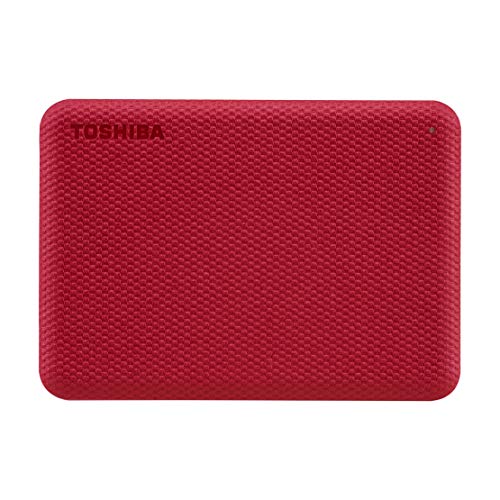
When you just want maximum space for the least money, the Toshiba Canvio Advance is the practical pick. At around A$169 for 2TB it costs a fraction of a same-size SSD, which makes it ideal for archiving photos, backing up a laptop or storing a media library you don't need blazing speed for. Being a spinning USB 3.0 hard drive it is far slower than the SSDs higher up this list and it's mechanical, so it needs a bit more care than a solid-state drive - but for cold storage and backups that trade-off is exactly the point. It's genuinely plug-and-play with no power brick, and Toshiba bundles password protection and automatic backup software. With over 2,200 reviews at 4.4 stars, it's the dependable budget choice when capacity-per-dollar matters more than transfer speed.
Speed
5
Durability
4
Capacity
6
Owners
7
Owners is the 4.4★ Amazon AU rating from 2,233 reviews, weighted toward the category average when there are few. Fewer than two published reviews of this exact model, so the owner rating carries that weight too. Tick marks show the category average.
How we scored it
Speed 5: Provisional: a spinning USB 3.0 hard drive per the card with no rated MB/s figure; the card's own anchor puts hard-drive class at the bottom, under 200 MB/s.
Durability 4: Card says mechanical and not shock-resistant, with no drop or IP rating: the fragile band.
Capacity 6: Card lists the 2 TB unit only, the up-to-2 TB band; no fetched review covers the V10 line's range.
Pros
+ 2TB for around A$169 - unbeatable capacity per dollar
We compared over 15 portable storage devices available on Amazon Australia on the maker's rated sequential read and write speeds, the interface (USB 3.2 Gen 2, USB4 or Thunderbolt), sustained-transfer and thermal behaviour as measured by professional reviewers, and the listed drop and IP ratings. Products are scored across four key categories and ranked on performance, durability, value at Australian retail prices, and Amazon AU ratings and reviews from Australian buyers. We don't buy or test the drives, and where a figure is the maker's own we say so.
Scored on Speed 45%, Durability 30%, Capacity range 25%, plus owner ratings and critic reviews
Portable SSDs are faster, lighter, more durable, and completely silent compared to traditional hard drives. The trade-off is price per gigabyte - you'll pay more per terabyte for an SSD. If you need raw speed for video editing, gaming, or frequent large transfers, go SSD without question. If you just need a big chunk of storage for backups and don't mind slower speeds, an HDD like the Seagate One Touch will save you a fair bit of cash.
Transfer Speed and Interface
Look for drives with USB 3.2 Gen 2 (10Gbps) or USB 3.2 Gen 2x2 (20Gbps) interfaces for the best speeds. The Samsung T9 uses 20Gbps for genuinely fast transfers, while the SanDisk Extreme Pro V2 with USB4 pushes up to 40Gbps for incredible throughput. Most mid-range SSDs sit at 10Gbps - still plenty quick for most people. Make sure your computer actually supports the interface speed, otherwise you're paying for performance you can't use. USB-C is standard across the board now, but check if a USB-A adapter is included.
Durability and Weather Resistance
If you're taking your drive out bush, to the beach, or on job sites, durability matters. Look for IP65 or IP68 ratings for dust and water resistance, and check the drop-test rating - most rugged drives survive 2-3 metre drops onto hard surfaces. Rubber bumpers and metal casings add protection. The Samsung T7 Shield and SanDisk Extreme Pro are standouts here for tough conditions.
Capacity - How Much Do You Really Need?
For general file transfers and document storage, 500GB to 1TB is more than enough. Content creators working with 4K or higher video should look at 2TB or above - raw footage chews through storage fast. Gamers will want at least 1TB given how massive modern game installs have become. Buy more than you think you need, because you'll fill it quicker than you expect.
Encryption and Security
Most portable SSDs now include hardware AES 256-bit encryption with password protection through a companion app. If you're carrying sensitive work files or personal data, this is a must-have feature. Samsung and SanDisk both offer solid encryption software. Budget drives sometimes skip this, so check before buying if security matters to you.
Portable storage has come a ridiculously long way from the days of chucking a clunky external hard drive in your bag and praying it survived the trip. In 2026, portable SSDs are faster, tougher, and more compact than ever - and prices have finally dropped to the point where there's genuinely no reason to put up with slow transfer speeds anymore.
Samsung continues to set the pace at the top end with the T9, which offers blistering read/write speeds that'll make short work of massive video files and game libraries. SanDisk's Extreme Pro V2 with USB4 has raised the bar even further with 3,800MB/s reads for those who need absolute maximum throughput. But the real sweet spot right now is the mid-range - drives like the Samsung T7 Shield and Crucial X9 Pro deliver fantastic performance for well under $200, which is brilliant value for most Aussies.
We've compared every drive on this list with real-world Australian use cases in mind, whether that's transferring 4K footage on location, backing up photo libraries, carrying game libraries between mates' places, or general everyday storage. Every product is available on Amazon Australia, priced in AUD, and verified for local shipping.
Portable Storage — Frequently Asked Questions
What's the difference between an SSD and an HDD?+
SSDs (solid-state drives) use flash memory with no moving parts, making them significantly faster, more durable, and silent. HDDs (hard disk drives) use spinning magnetic platters and are slower but offer much more storage per dollar. For everyday use - booting your computer, loading apps, and transferring files - SSDs are the clear winner. HDDs still make sense for bulk storage of large media libraries where speed isn't critical and you need multiple terabytes cheaply.
How much external storage do I actually need?+
For backing up documents, photos, and general files, 1TB is enough for most people. If you shoot video, work with large creative files, or want to back up your entire computer, 2-4TB is a better choice. Photographers and videographers who shoot in RAW or 4K should consider 4TB or more. Remember that you should never fill a drive past 80-90% capacity, so factor in some headroom.
Is USB-C faster than USB-A for external drives?+
The connector type (USB-C vs USB-A) doesn't determine speed on its own - it's the USB standard that matters. USB 3.2 Gen 2 (10Gbps) and USB4 (40Gbps) typically use USB-C connectors and are faster than most USB-A connections. However, a USB-A port running USB 3.2 Gen 1 (5Gbps) will be just as fast as a USB-C port using the same standard. Check the USB generation, not just the connector shape.
Should I buy a portable SSD or a USB flash drive?+
Portable SSDs are far superior for anything beyond basic file transfer. They offer dramatically faster read and write speeds (500-2000 MB/s vs 30-150 MB/s for flash drives), larger capacities, and better durability. USB flash drives are fine for carrying a few documents or presentations, but for regular backups, media libraries, or working directly from the drive, a portable SSD is worth the extra investment.
Do I need an NVMe external SSD or is SATA fast enough?+
SATA-based portable SSDs (around 500-550 MB/s) are perfectly adequate for most Australians - backing up files, transferring photos and documents, and general use. NVMe external SSDs (1,000-2,000+ MB/s) are worth the premium if you work with large video files, transfer huge datasets regularly, or use the drive as extended working storage for creative applications. For everyday use, the speed difference won't be noticeable.
Found this useful? Share it with fellow Aussies.
Share:
Weekly AU tech deals, in your inbox
We check prices on every product we cover daily. Once a week we send the biggest genuine price drops we spot - the ones worth your attention.